12/05/2025 | 8 minute read
BeeForm vs Pretty Forms Designer
A detailed comparison between BeeForm and Pretty Forms Designer for Google Forms, highlighting features, customization options, and user experience.
Google Forms is the go-to tool for data collection, but let's face it: the default purple header and basic fonts don't exactly scream 'professional.' If you're looking to upgrade your forms, you've likely come across Pretty Forms Designer, a long-standing add-on in the marketplace. But there's a new contender in town: BeeForm.
- Overview: The Contenders
- User Interface & Ease of Use
- Design & Templates
- Key Features Comparison
- Cons & Limitations
- The Verdict
Overview: The Contenders
BeeForm is a modern form builder designed to transform Google Forms into stylish, branded web pages without requiring any coding knowledge. It emphasizes a 'what you see is what you get' experience with high-quality templates and an intuitive interface.
Pretty Forms Designer is a powerful add-on that allows for extensive customization of Google Forms. It provides advanced tools like HTML support and mathematical equations, making it a favorite for power users who need complex functionality, though often at the cost of simplicity.
User Interface & Ease of Use
This is where the difference between the two tools is most stark. The user interface (UI) determines how quickly you can build a form and how enjoyable the process is.
BeeForm: Clean and Intuitive
BeeForm features a modern, streamlined interface. The settings are organized logically on the left, with a large, real-time preview on the right. It feels like using a modern website builder. You don't need to hunt for settings; everything from changing colors to switching layout modes is just a click away.
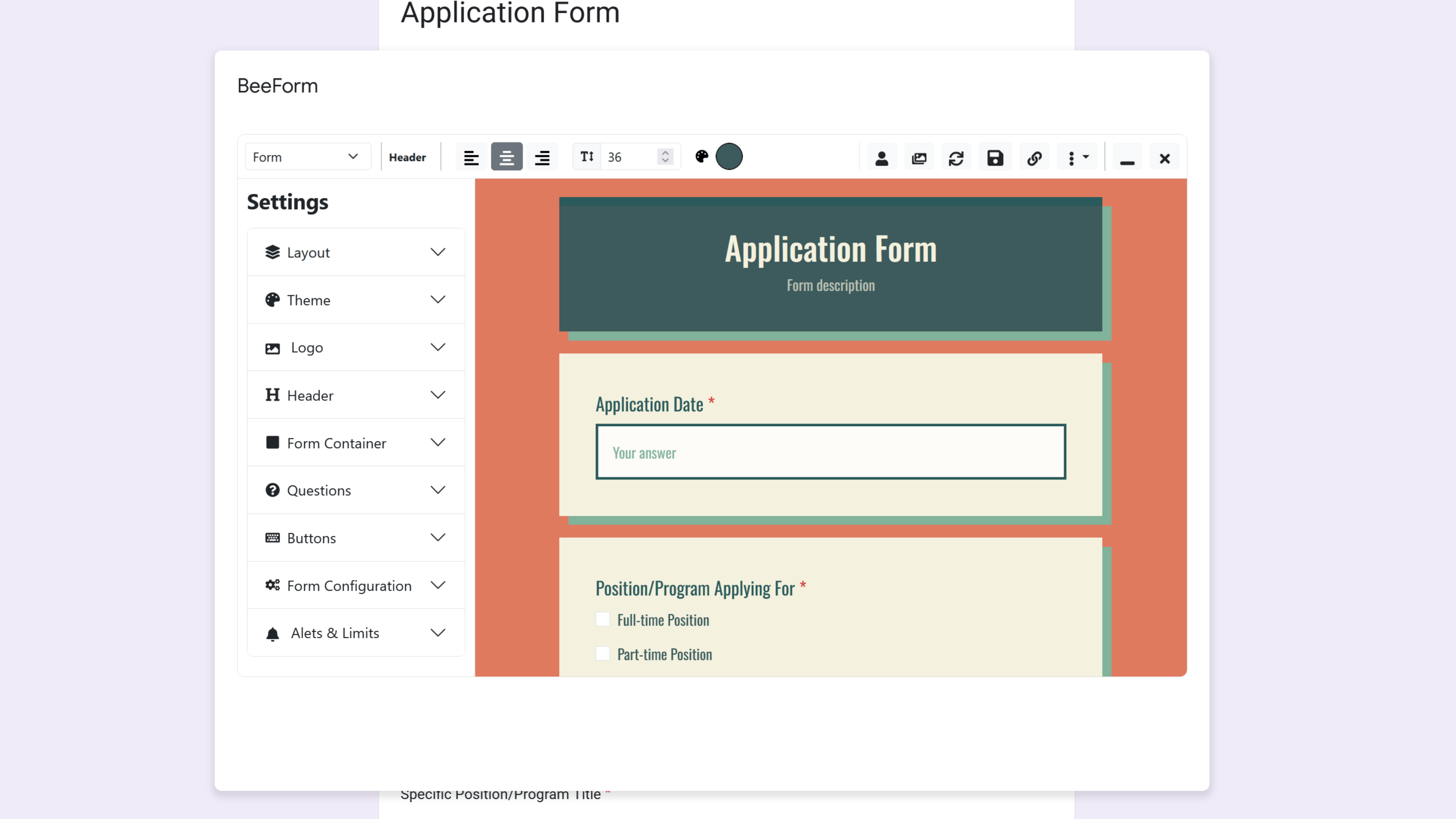
BeeForm's UI is clean, modern, and easy to navigate.
Pretty Forms Designer: Powerful but Cluttered
Pretty Forms Designer packs a lot of features, but the interface can feel overwhelming. It resembles older software with dense menus and numerous options presented all at once. For a new user, figuring out how to simply change a background color or adjust padding can be a daunting task involving trial and error.
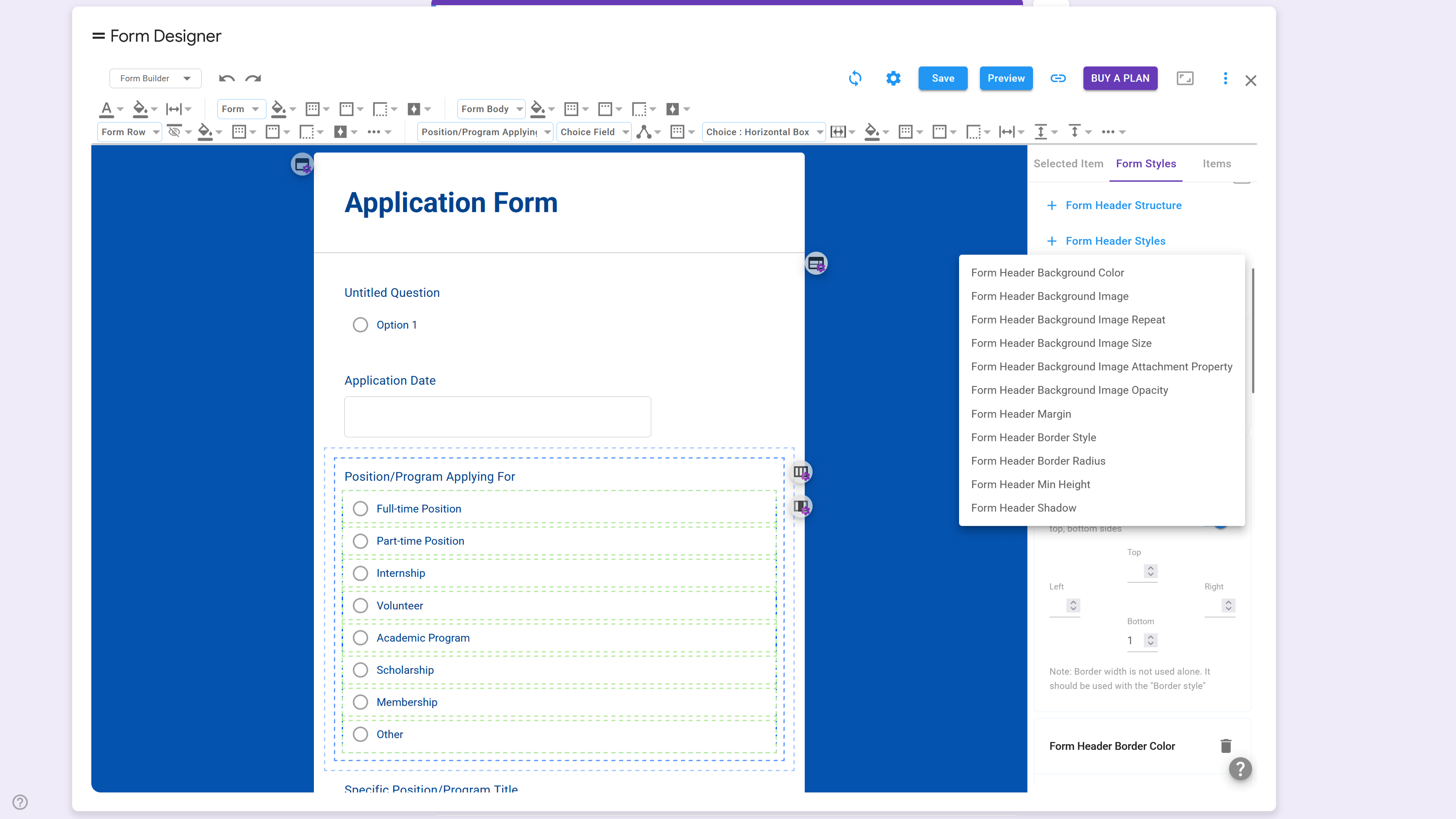
Pretty Forms Designer's UI is dense and can be confusing for beginners.
Design & Templates
Most users want their forms to look good fast. This is where templates and themes come in.
BeeForm shines here with a library of professionally designed themes. Whether you need a corporate registration form, a fun event invite, or a sleek feedback survey, BeeForm has a template that looks polished right out of the box. You can apply a theme and be done, or use it as a starting point for further customization.
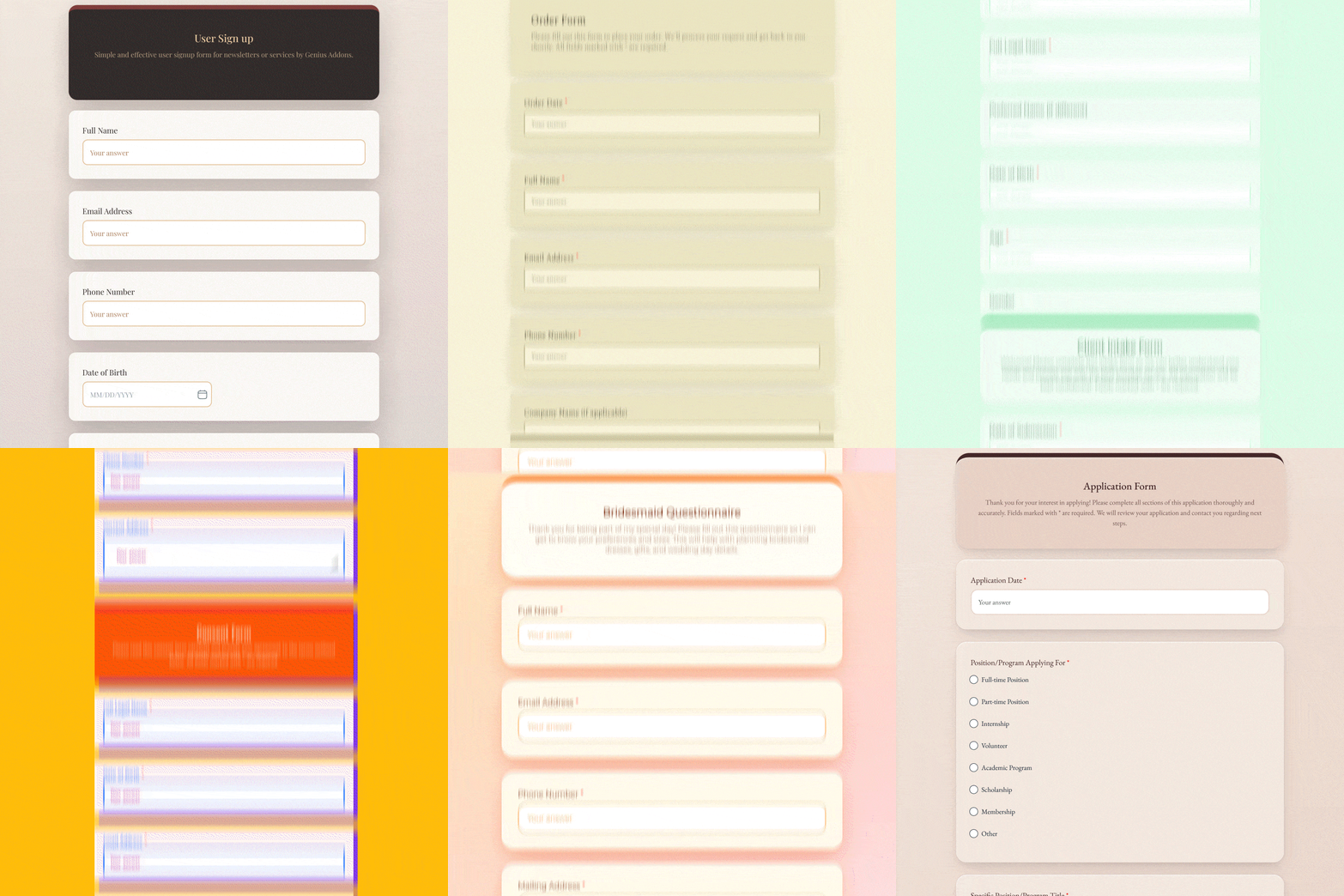
Pretty Forms Designer also offers themes, but they often require more manual tweaking to look modern. While it allows for granular control like changing the border radius of a specific input field achieving a cohesive, professional look often takes more time and design skill than with BeeForm.
Key Features Comparison
Both tools go beyond simple aesthetics, but they target different needs.
BeeForm Highlights
- Wizard Mode: Easily turn long forms into step-by-step wizards with custom navigation buttons.
- Response Management: Set response limits and closing dates directly within the designer.
- Custom Messages: Design beautiful 'Thank You' and 'Form Closed' pages that match your brand.
- Brand Identity: Upload logos and set custom backgrounds with ease.
Pretty Forms Designer Highlights
- Multi-language Support: A strong feature for creating forms in multiple languages.
- Advanced Logic: Supports complex conditional logic and branching.
- Math Support: Allows for LaTeX/Tex math equations, which is great for educational forms.
- HTML/CSS Access: Allows direct code injection for those who know how to code.
Cons & Limitations
No tool is perfect. Here is an honest look at the drawbacks of each.
Pretty Forms Designer Cons
While powerful, Pretty Forms Designer has some significant usability hurdles:
- Steep Learning Curve: The UI is frequently cited as hard to understand, with 'way too many settings' that confuse users.
- Bugs & Reliability: Users have reported issues with changes not saving or the form not updating correctly.
- Confusing Pricing: The pricing structure can be difficult to navigate, and the free version is quite limited (e.g., low response limits).
- User Experience: Reviews often mention that the tool is 'not very user friendly' and can be frustrating for quick tasks.
BeeForm Cons
As a newer entrant to the market, BeeForm is still growing:
- Newer Ecosystem: It hasn't been around as long as Pretty Forms Designer, so it may have fewer niche features.
- No Short Links (Yet): Currently, there is no built-in URL shortener for sharing forms.
The Verdict
So, which one should you choose?
Choose Pretty Forms Designer if: You are a power user who needs complex multi-language support, mathematical equations, or you want to write your own HTML/CSS and don't mind navigating a complex interface.
Choose BeeForm if: You want a beautiful, professional-looking form fast. If you value a clean user interface, modern templates, and an easy design process that doesn't require a manual to figure out, BeeForm is the superior choice. It bridges the gap between the simplicity of Google Forms and the aesthetics of high-end form builders like Typeform.
'BeeForm elevates your forms from functional to exceptional without the headache.'