12/04/2025 |
How to Make Google Forms Look Better
Learn how to transform boring Google Forms into visually appealing surveys with BeeForm. Discover the impact of better form design on response rates and user engagement.
Google Forms has become an essential tool for collecting information, conducting surveys, and gathering feedback. However, the default appearance of Google Forms can be bland and uninspiring, potentially affecting response rates and user engagement. While tools like DocReader enhance document accessibility, BeeForm transforms the visual appeal of your forms. In this guide, we'll explore how BeeForm can revolutionize your Google Forms design and why better-looking forms matter for your success.
- The Disadvantages of Regular Google Forms
- Why Better Form Design Matters
- How BeeForm Transforms Your Forms
- Key Features of BeeForm
- Getting Started with BeeForm
The Disadvantages of Regular Google Forms
Standard Google Forms, while functional, come with several design limitations that can impact user experience and response quality. The generic appearance of default forms often fails to capture attention or reflect your brand identity. Users frequently encounter forms that look identical across different organizations, creating a sense of monotony and reducing engagement.
The limited customization options in regular Google Forms restrict your ability to create visually appealing surveys. You're confined to basic color schemes and cannot add custom backgrounds, advanced styling, or interactive elements that modern users expect. This limitation becomes particularly problematic when trying to maintain brand consistency across your digital touchpoints.
Furthermore, the lack of visual hierarchy in standard forms can make longer surveys feel overwhelming. Without proper design elements to guide users through questions, respondents may experience survey fatigue, leading to incomplete submissions or rushed answers that compromise data quality.
Why Better Form Design Matters
Well-designed forms significantly impact response rates and data quality. Research shows that visually appealing forms can increase completion rates compared to plain, text-heavy surveys. When users encounter an aesthetically pleasing form, they perceive it as more professional and trustworthy, making them more likely to provide thoughtful, accurate responses.
Better form design also enhances brand perception. Every interaction with your audience is an opportunity to reinforce your brand identity. A beautifully designed form that aligns with your brand colors, fonts, and overall aesthetic creates a cohesive experience that builds trust and recognition.
Additionally, improved visual design can reduce cognitive load for respondents. Strategic use of white space, clear typography, and visual cues helps users navigate through questions more easily, resulting in a smoother experience and higher-quality data collection. This is particularly important for longer surveys or forms requesting sensitive information.
How BeeForm Transforms Your Forms
BeeForm is a powerful Google Forms add-on that revolutionizes how your forms look and feel. According to the official website, BeeForm enables you to create beautiful, professional-looking forms that stand out from the standard Google Forms appearance. The add-on integrates seamlessly with your existing Google Forms workflow while providing extensive customization options.
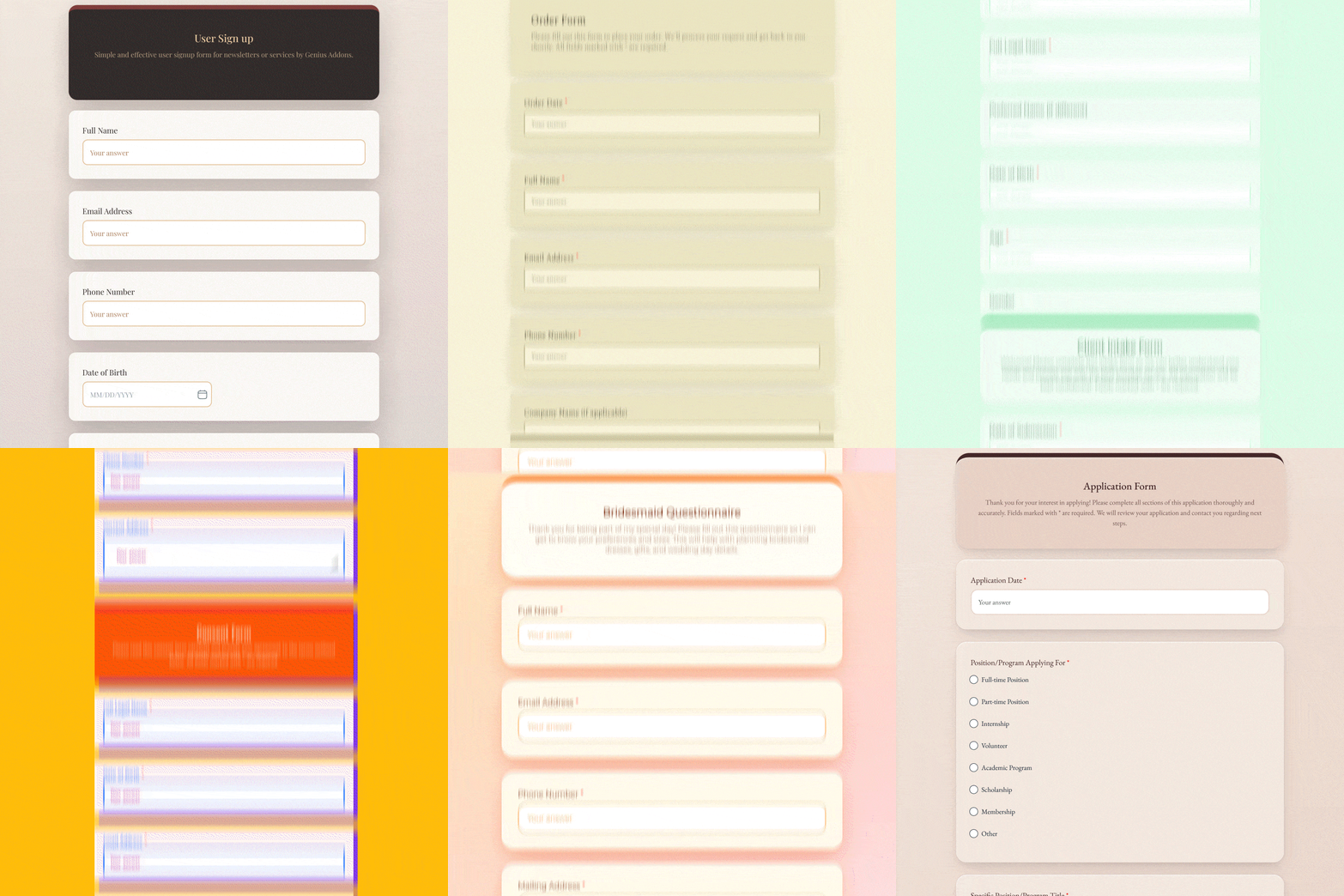
With BeeForm, you can transform plain forms into visually stunning surveys that capture attention and encourage completion. The add-on offers multiple pre-designed templates that you can customize to match your brand identity perfectly. Whether you're conducting customer feedback surveys, event registrations, or internal assessments, BeeForm ensures your forms look professional and engaging.
The transformation process is straightforward and doesn't require any coding knowledge. BeeForm works directly within Google Forms, allowing you to enhance your existing forms or create new ones with improved aesthetics from the start. This seamless integration means you can continue using all the powerful data collection features of Google Forms while significantly upgrading the visual presentation.
Key Features of BeeForm
BeeForm offers a comprehensive set of features designed to enhance every aspect of your form's appearance. The add-on provides customizable themes and templates that serve as starting points for creating visually appealing forms. These templates are professionally designed and can be modified to match your specific requirements.
One of the standout features is the ability to add custom backgrounds and images to your forms. This functionality allows you to incorporate brand elements, create themed surveys, or simply make your forms more visually interesting. The background customization options help create a unique atmosphere that resonates with your target audience.
BeeForm also enables advanced typography and color customization. You can adjust fonts, sizes, and colors throughout your form to create visual hierarchy and improve readability. This level of control ensures that your forms not only look good but also provide an optimal reading experience across different devices.
The add-on includes options for adding custom headers and footers, allowing you to include important information, branding elements, or navigation aids. These additions help create a more complete and professional presentation that goes beyond the basic Google Forms structure.
Getting Started with BeeForm
Getting started with BeeForm is a simple process that begins with installing the add-on from the Google Workspace Marketplace. Once installed, BeeForm integrates directly into your Google Forms interface, making it easily accessible whenever you're creating or editing a form.
To begin transforming your forms, simply open any Google Form and access BeeForm through the add-ons menu. The intuitive interface guides you through the customization process, allowing you to preview changes in real-time. You can start with a template or build your design from scratch, depending on your preferences and requirements.
For those looking to maintain consistency across multiple forms, BeeForm allows you to save and reuse your custom designs. This feature is particularly valuable for organizations that regularly create forms and want to maintain brand consistency without starting from scratch each time.
If you're interested in exploring other productivity tools for Google Workspace, you might find our guide on How to Use SlideBuild helpful for creating better presentations alongside your improved forms.
Enhance Your Google Workspace Experience

Frequently Asked Questions
Can BeeForm work with existing Google Forms?
Yes, BeeForm is designed to work seamlessly with both new and existing Google Forms. You can apply BeeForm's design enhancements to any form you've already created, instantly transforming its appearance without losing any of your questions or settings.
Do respondents need to install anything to see the enhanced forms?
No, respondents don't need to install BeeForm or any other software. The enhanced designs are visible to anyone who accesses your form through the standard Google Forms link, ensuring a consistent experience for all users.
Will BeeForm affect my form's functionality or data collection?
BeeForm focuses solely on the visual presentation of your forms. All Google Forms functionality, including data collection, response validation, and integration with Google Sheets, remains unchanged. You get better-looking forms without sacrificing any features.
Can I use BeeForm for forms shared within my organization?
Yes, BeeForm works perfectly for both internal and external forms. Whether you're creating employee surveys, customer feedback forms, or public questionnaires, BeeForm's enhancements will be visible to all recipients.
Is BeeForm suitable for mobile forms?
BeeForm's designs are responsive and adapt to different screen sizes. Your enhanced forms will look great on desktop computers, tablets, and mobile devices, ensuring a consistent experience across all platforms.