How to Select a Template
Choose the perfect presentation template in SlideBuild for your slides. Browse professional templates for business, education, marketing, and more.
One of SlideBuild's most powerful features is its collection of professional
templates. This guide will show you
how to select a template in SlideBuild that matches your
presentation needs.
- Click the Generate Button
- Browse Available Templates
- Choose Your Template
- Benefits of Using Templates
Click the Generate Button
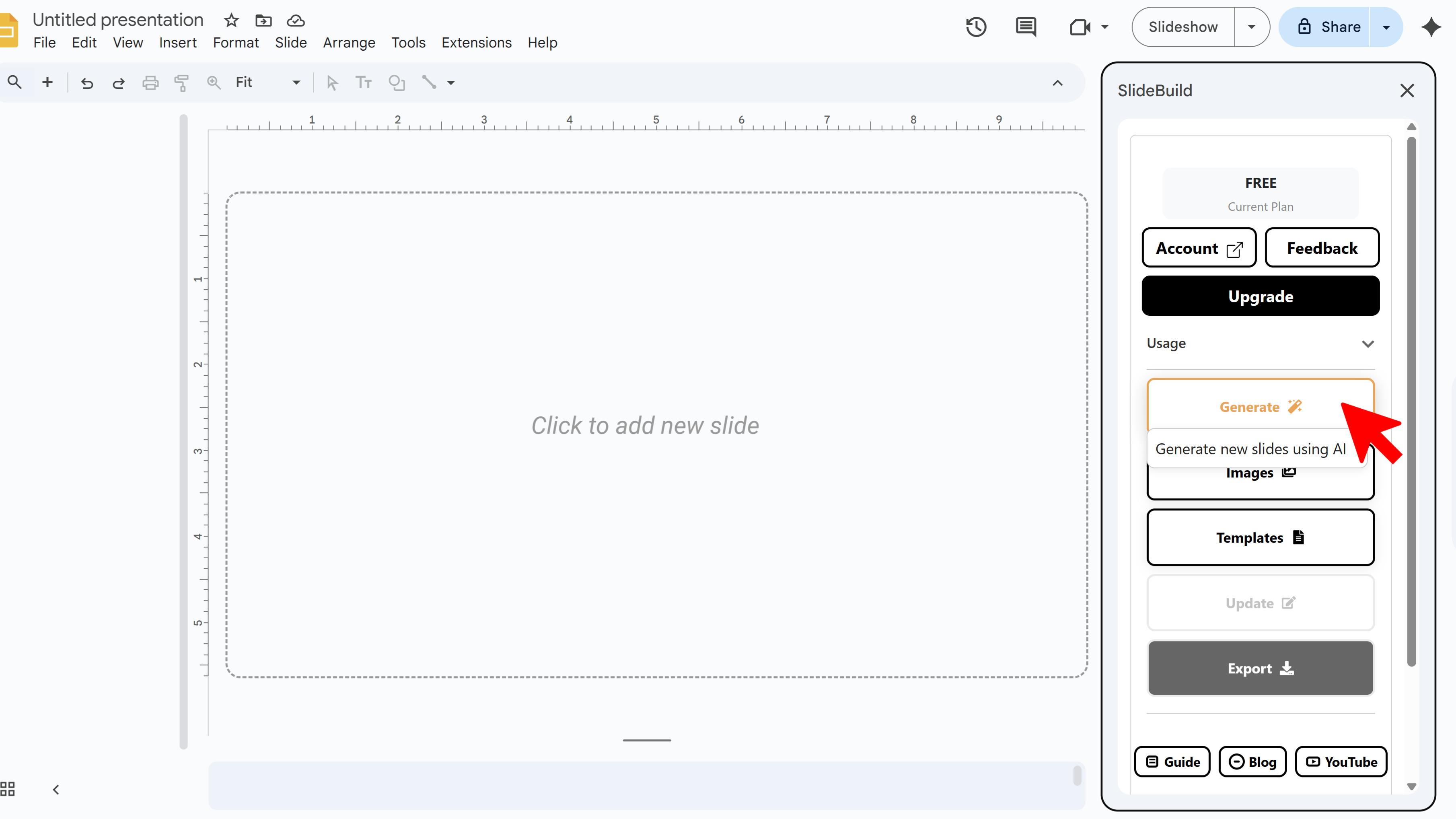
Once the SlideBuild sidebar is open, you'll see a clear Generate button. Click this button to begin the slide creation process. Think of it as the "engine start" for your presentation – SlideBuild will take your input and begin structuring your deck automatically.
Browse Available Templates
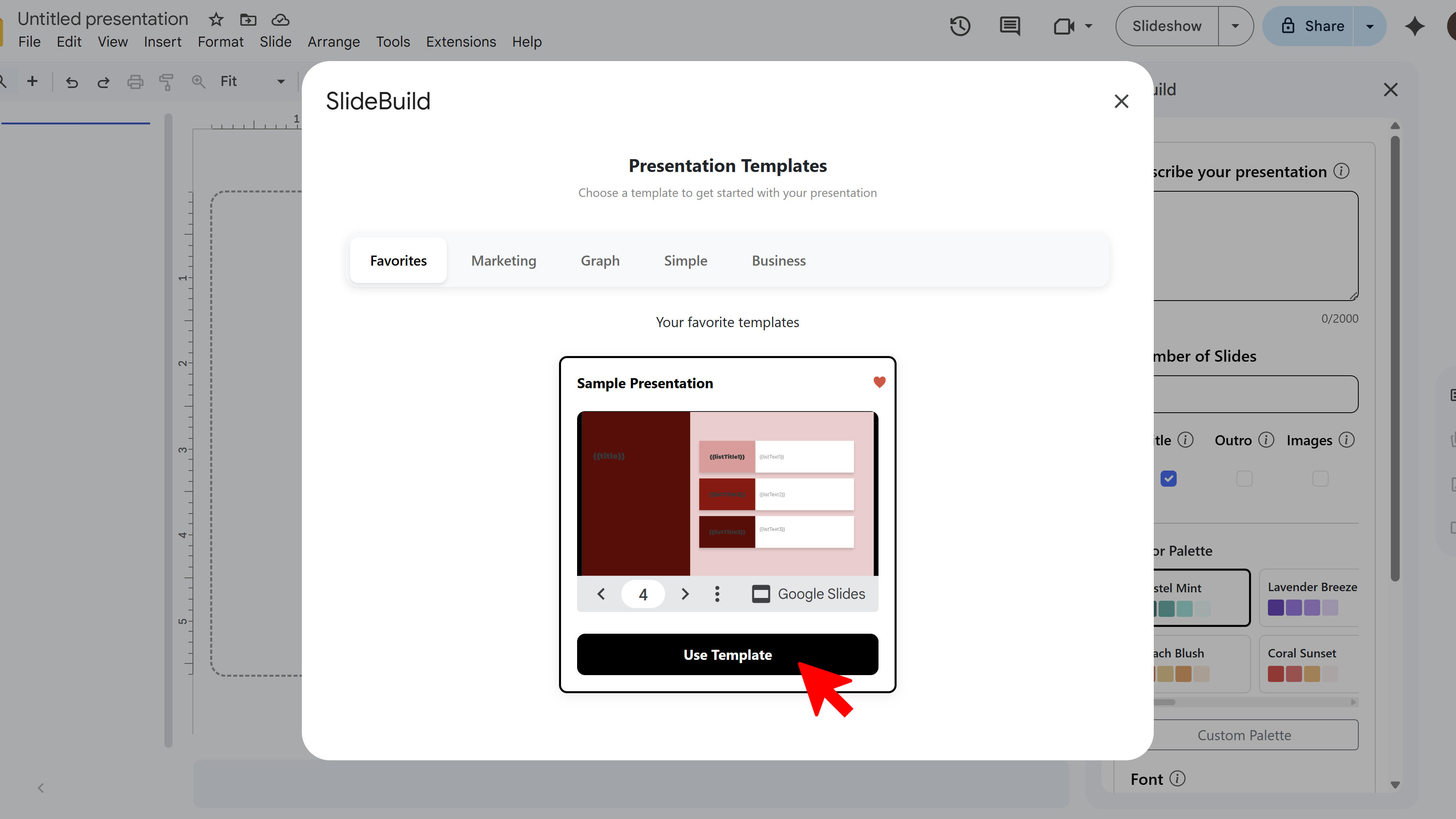
After clicking Generate, you'll see a selection of templates. SlideBuild offers templates designed for different use cases, including academic lectures, marketing pitches, corporate meetings, and creative proposals. Take a moment to browse through the options.
Choose Your Template
Click on the template that best fits your presentation purpose. Each template has a preview showing its layout style and design elements. Once selected, this template will be applied to all slides generated in your presentation.
Benefits of Using Templates
Templates provide consistency across all your slides, giving them a cohesive professional look without requiring design experience. They establish a visual hierarchy, ensure proper spacing, and apply design principles automatically, saving you hours of manual formatting work.
Create Slides Faster with SlideBuild

Tips for Selecting Templates
- Choose templates that match your audience – formal templates for business, creative templates for marketing
- Preview multiple templates before deciding to see which layout fits your content best
- You can generate slides with different templates to compare results
Common Pitfalls When Selecting Templates
- Wrong Template Choice: If the generated slides don't look right, you can regenerate with a different template
- Template Doesn't Match Brand: Use color palette and font customization options to align the template with your brand identity
Related Resources
SlideBuild: AI Slides Maker
Create professional Google Slides presentations in minutes using AI. Perfect for business, education, and more.
- AI-powered slide generation
- Customizable templates
- Brand color palettes
- AI-generated images
- One-click slide creation
- Perfect for business and education