How to Draw on Google Slides
Learn different ways to draw on Google Slides using the Scribble tool, Google Drawings, and the Pen tool during presentations.
4 min read
Updated 9/20/2025
- Use the Scribble Tool (Freehand Drawing)
- Use Google Drawings
- Drawing During Presentation (Pen Tool)
- Limitations & Notes
Method 1: Use the Scribble Tool (Freehand Drawing)
On a computer, you can add freehand drawings directly inside Google Slides:
- Open your presentation in Google Slides.
- Go to the slide where you want to draw.
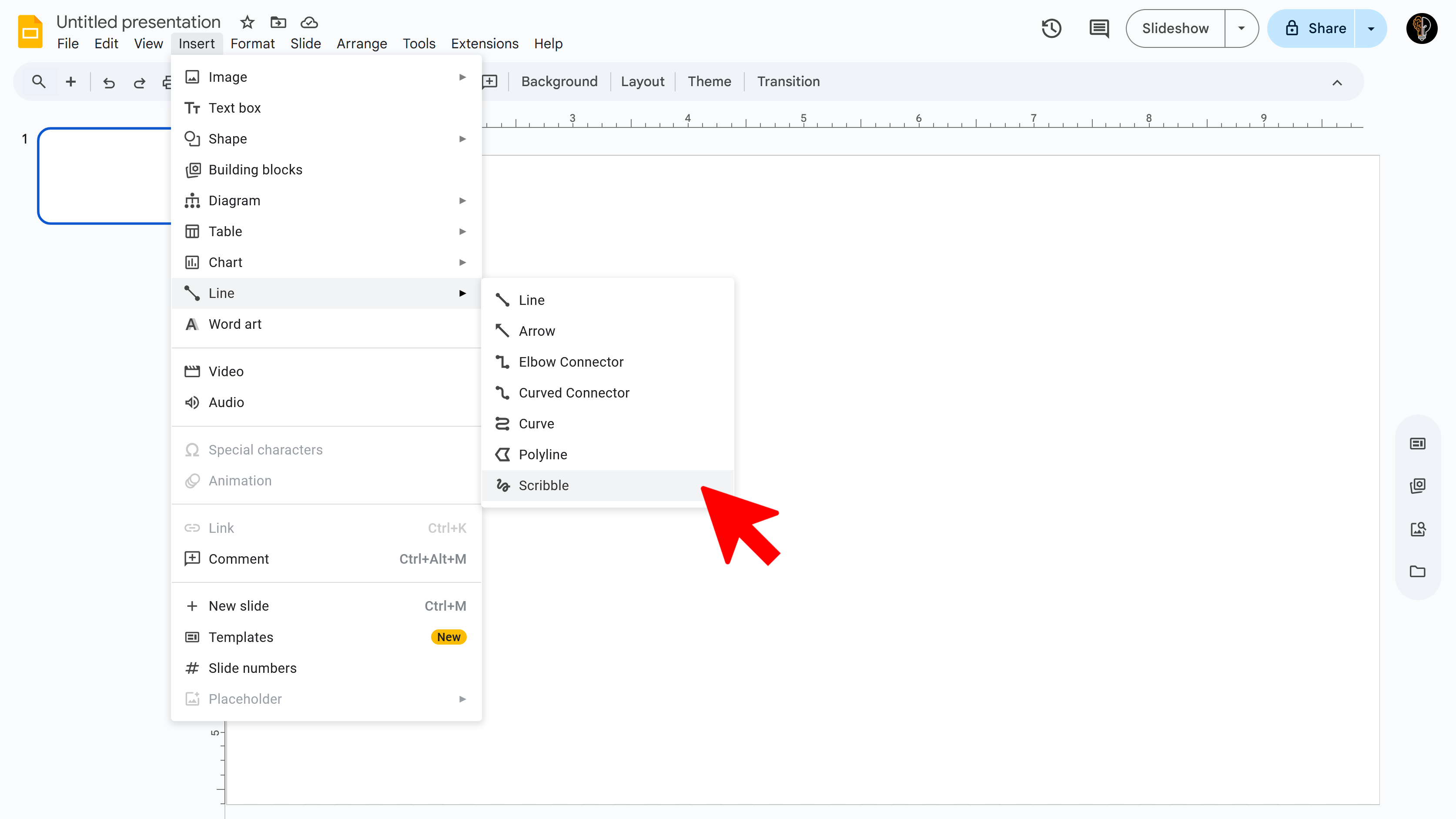
- Click Insert → Line → Scribble .
- Your cursor will turn into a crosshair. Click and hold the left mouse button, drag to draw, then release when done.
- With the drawing selected, you can format it: change color, line weight, dash style, arrow ends, etc.
- To move, resize, or rotate: select the drawing, then drag its corners or use the rotate handle.
Method 2: Use Google Drawings (for more detailed work)
If you need more control or complex drawings, use Google Drawings first:
- In Google Drive, create a new Google Drawing (Drive → New → More → Google Drawings).
- Use the tools (shapes, lines, scribble, etc.) to create your drawing.
- Insert into Slides by either:
- Downloading as PNG or JPEG and uploading into Slides (Insert → Image → Upload/Pick from Drive).
- Publishing to the web from Google Drawings and inserting by URL in Slides.
Method 3: Drawing / Annotation During Presentation (Pen Tool)
When presenting in slideshow mode, you can annotate live:
- Start presenting your Google Slides deck.
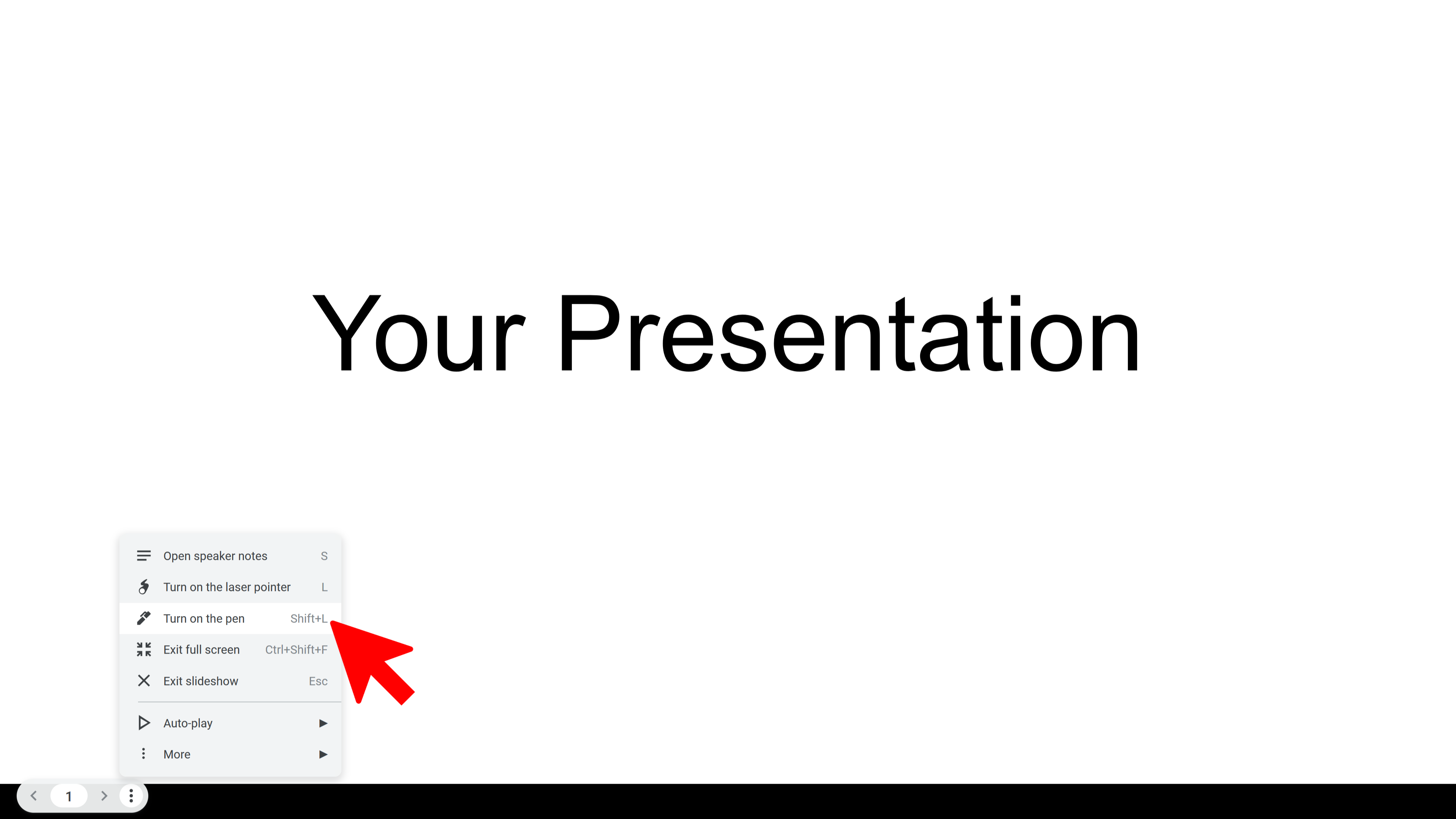
- Open the menu at the bottom left (or click the three-dots menu).
- Select “Turn on pen” , then choose a color.
- Draw on the slide with your mouse or touchscreen.
- Switch to eraser if needed. These notes disappear after exiting slideshow.
⚠️ Limitations & Notes
- The Scribble tool works only on desktop/web, not in the mobile app.
- Google Drawings allows more flexible editing and layering before inserting into Slides.
- Annotations made with the pen tool are temporary and disappear after the slideshow ends.
🔗 External source: How-To Geek — How to Draw on Google Slides
Try Free
SlideBuild: AI Slides Maker
Create professional Google Slides presentations in minutes using AI. Perfect for business, education, and more.
- AI-powered slide generation
- Customizable templates
- Brand color palettes
- AI-generated images
- One-click slide creation
- Perfect for business and education