05/03/2026 | 7 minute read
BeeForm Vs Formfacade
A detailed comparison of BeeForm and Formfacade as Google Forms design add-ons, covering how each tool works UI, design customization, features, pricing, response limits, branding/white-labeling, pros and cons, and a final verdict.
Google Forms is a fantastic free tool, but once you need your forms to look and feel professional, you quickly discover its design limitations. Two popular add-ons aim to solve this: BeeForm and Formfacade. Both let you transform plain Google Forms into polished, branded experiences — but they take fundamentally different approaches to get there.
In this comparison we'll break down exactly how each tool works, what they offer, how they're priced, and which one is the better fit depending on your needs.
- Overview: The Contenders
- How They Work: A Critical Difference
- User Interface & Ease of Use
- Design & Customization
- Key Features Comparison
- Pricing Comparison
- Response Limits
- Branding & White-Labeling
- Pros & Cons
- The Verdict
Overview: The Contenders
BeeForm is a Google Workspace add-on that enhances your Google Forms in-place, transforming them into beautiful, branded web forms without moving your data anywhere. It focuses on a clean, intuitive design experience with professional themes, layout modes, and team collaboration — all while your responses continue flowing directly into Google Sheets.
Formfacade is a suite of tools built by Mailrecipe LLC that takes a different approach: it creates a hosted version of your Google Form on Formfacade's own infrastructure, giving it greater flexibility to redesign the form UI from the ground up. Beyond design, Formfacade has expanded into a broader ecosystem covering file uploads, scoring, e-signatures, payment forms, and AI-powered tools.
How They Work: A Critical Difference
Before comparing features and pricing, it's important to understand a fundamental architectural difference between the two tools — one that affects everything from data ownership to reliability.
BeeForm: In-Place Enhancement
BeeForm works as a true Google Forms add-on. It reads your existing Google Form, applies your chosen styles and settings, and serves the enhanced form directly. Your form remains a Google Form. Responses go to Google Sheets. Your data never leaves Google's infrastructure. If you ever cancel BeeForm, your form still works as a standard Google Form — there is no lock-in.
Formfacade: Hosted Copy
Formfacade works differently. When you use it to embed or enhance a Google Form, it creates a hosted copy of your form on Formfacade's own servers. The form visual is rendered by Formfacade, not Google. Your docs.google.com URL is replaced with a Formfacade URL (or a custom domain). Responses still sync back to Google Sheets, but the form itself depends on Formfacade's platform uptime. This architecture is what enables Formfacade to go further with UI customization, but it also introduces a dependency on a third-party platform.
One Formfacade reviewer noted: "Misleading app description. This app actually creates a copy of your Google Form onto their own third-party platform."
User Interface & Ease of Use
The day-to-day experience of using each tool differs significantly in terms of interface design and learning curve.
BeeForm: Clean and Immediate
BeeForm's interface is built into the Google Forms sidebar. Settings are organized logically on the left with a real-time preview on the right. It feels like a modern website builder integrated directly into your existing workflow. You can apply a professional theme in a single click, then tweak colors, fonts, and layout without hunting through nested menus. Most users report creating a fully branded form in under five minutes.
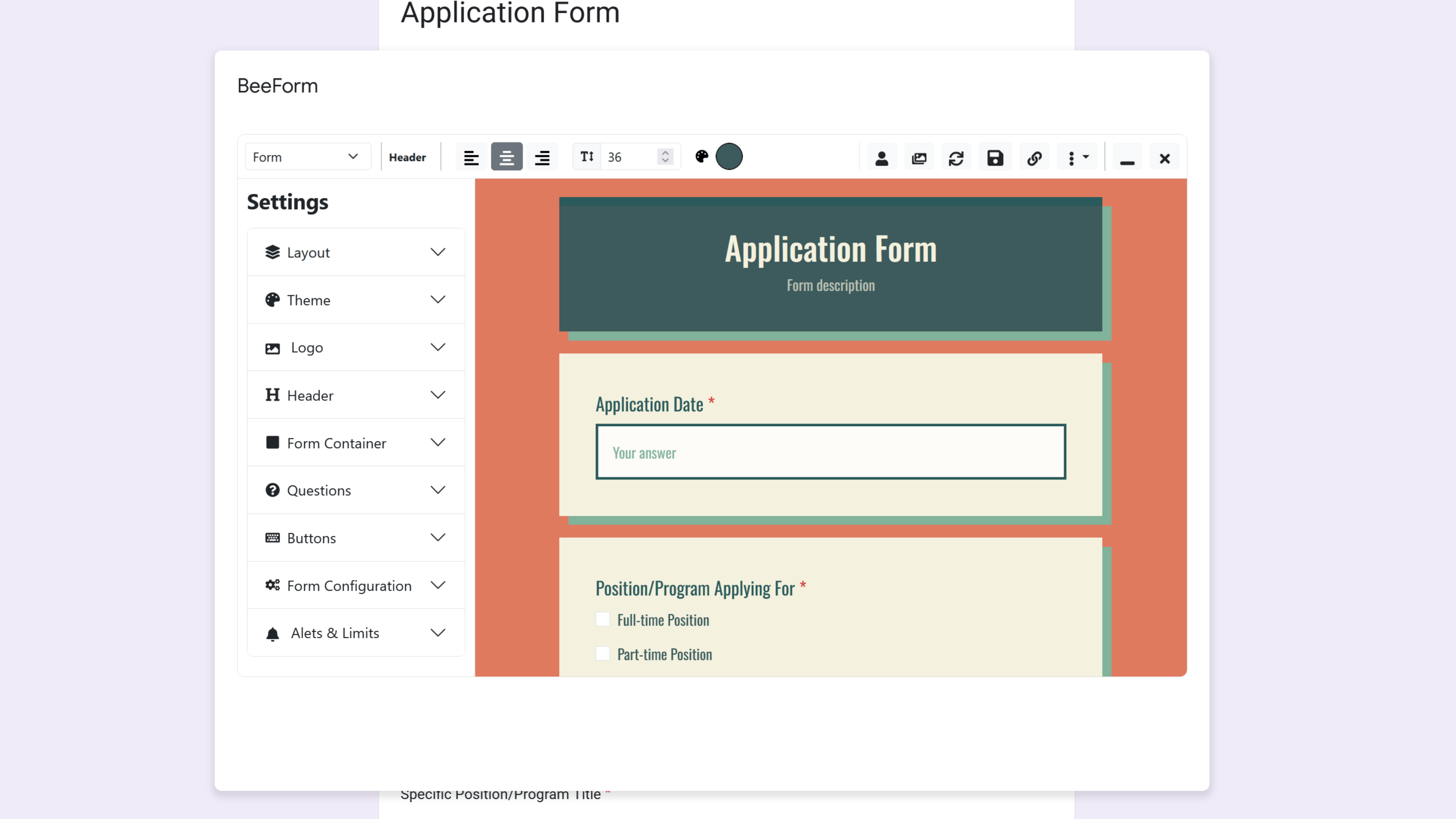
BeeForm's sidebar interface — organized, real-time, and intuitive.
Formfacade: Feature-Rich but More Complex
Formfacade packs a significant number of options across design, embedding, analytics, and integrations. For users who want deep control — custom CSS, formula fields, session recording, multi-language settings — that depth is available. However, the breadth of settings means there is more to learn upfront. Users who simply want a professionally styled form may find the interface more involved than they expected.
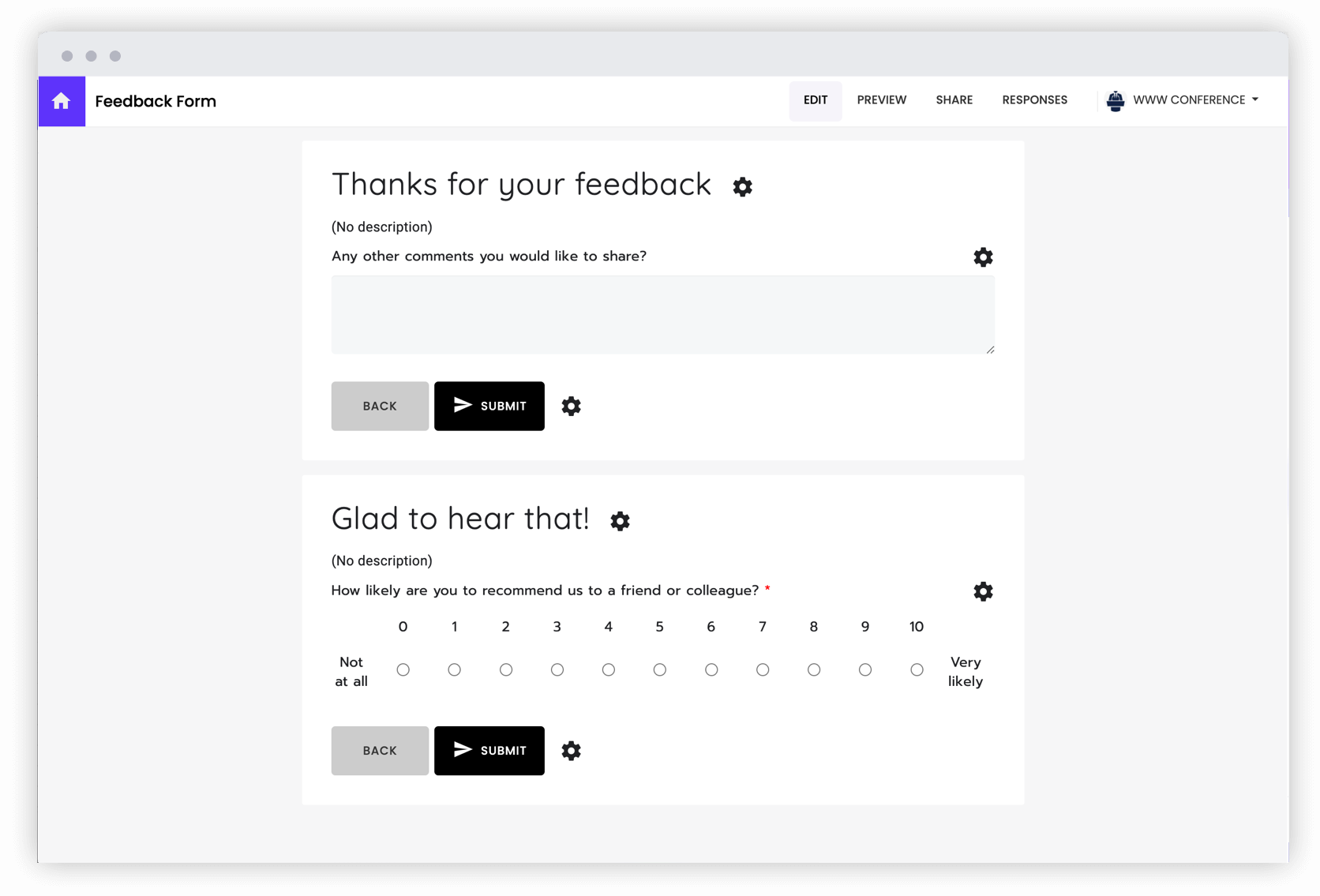
Formfacade's interface offers deep configuration across design, embedding, and analytics.
Design & Customization
Both tools offer meaningful design upgrades over stock Google Forms, but they approach customization differently.
BeeForm
BeeForm centers its design experience on a library of professionally designed preset themes. Pick a theme and your form instantly looks polished — suited for corporate registration, event invitations, or customer surveys. From there, you can customize granularly: colors, fonts, padding, shadows, and border radius for every element. You can save your own designs as reusable custom themes, and on the Team Plan, themes can be shared across your organization so every team member's form looks consistent.
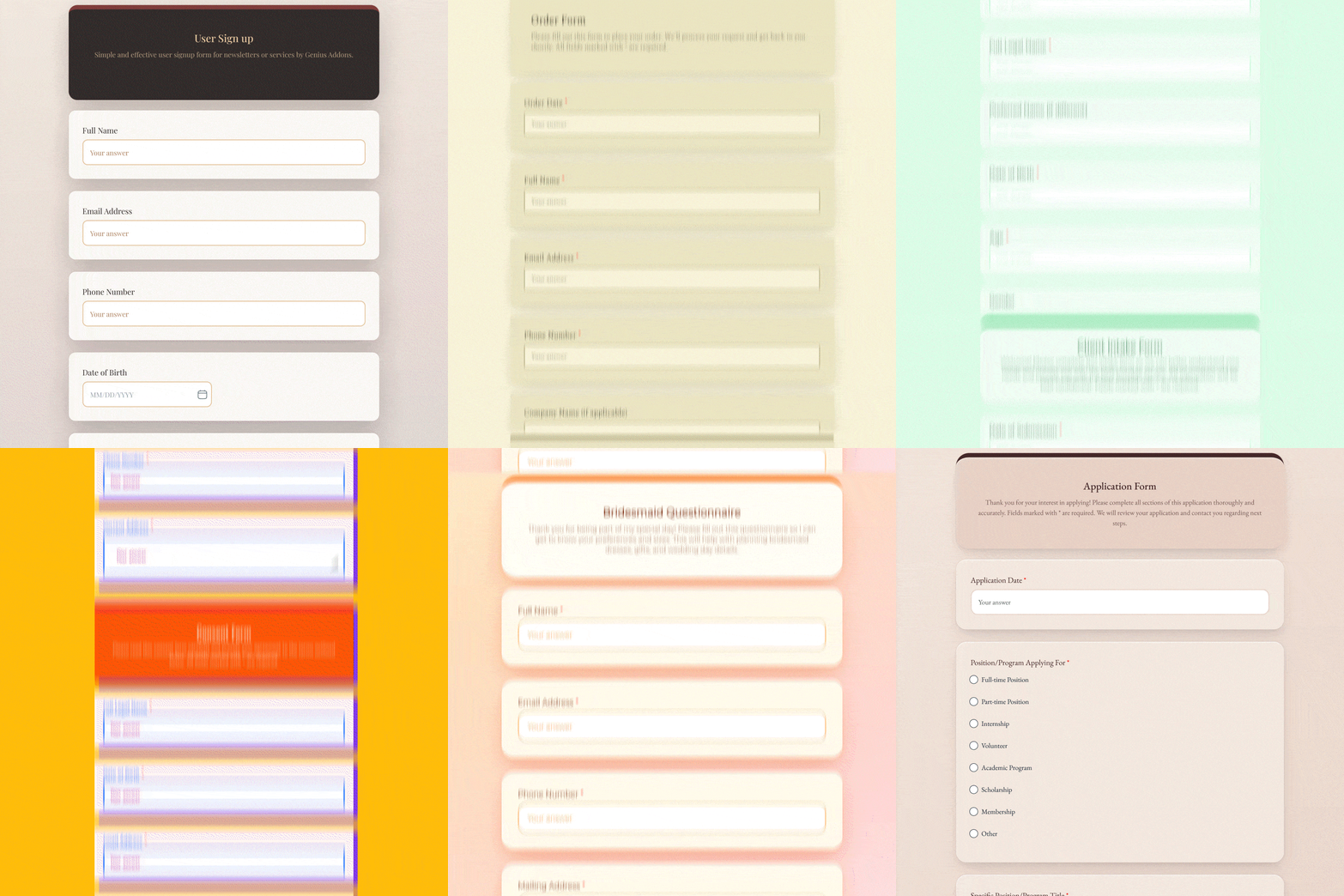
BeeForm's theme library — apply a professional design in one click.
- Classic mode: all questions on a single page
- Wizard mode: step-by-step multi-page form with custom navigation buttons
- Custom logo and header images
- Custom fonts and color schemes
- Granular per-element styling (padding, shadows, border radius)
- Preset themes + save your own custom themes
- Shared team themes (Team Plan)
- Custom "Thank You" and "Form Closed" messages
Formfacade
Because Formfacade renders the form on its own infrastructure, it can apply more sweeping UI changes. It supports brand colors, custom fonts, banner images, and company logos. Unique to Formfacade is support for custom CSS, giving developers granular styling control. It also supports rich text descriptions with markdown, calculated/formula fields, dynamic validations, date validations, and conditional redirect logic on the thank you page.
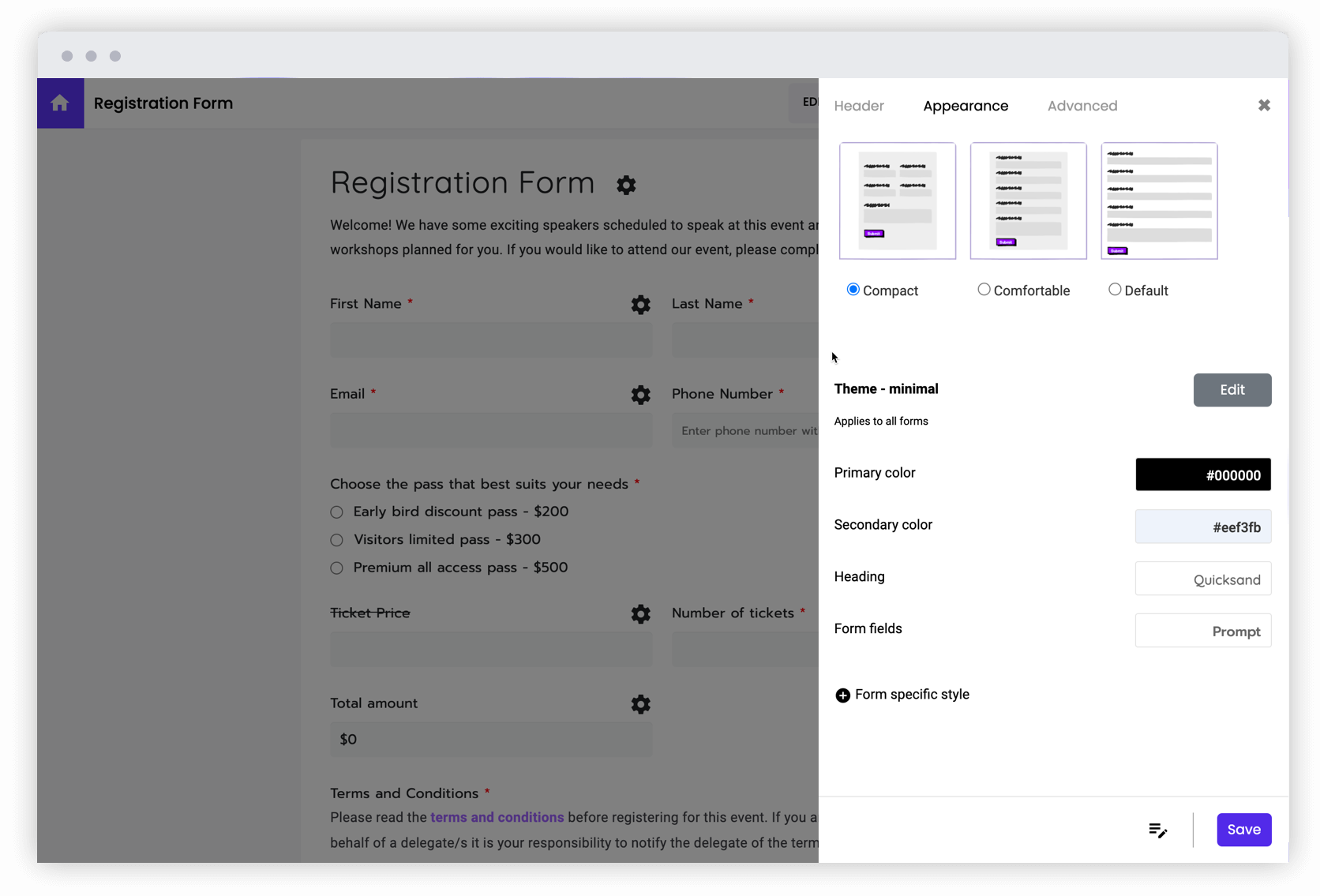
Formfacade's customization panel — brand colors, CSS, formula fields, and more.
- Brand colors, custom fonts, banner/header images, company logo
- Custom CSS injection for full styling control
- Rich text / markdown descriptions within questions
- Calculated / formula fields
- Dynamic and date validations
- Hidden fields (pass data through URL parameters)
- Personalized thank you messages with response data (answer piping)
- Conditional redirects based on form answers
- Multiple form layouts
- 15+ language support
Key Features Comparison
Beyond design, each tool offers a different set of practical features.
BeeForm Highlights
- Wizard Mode: Turn any Google Form into a step-by-step flow with custom navigation buttons — great for improving completion rates on longer forms.
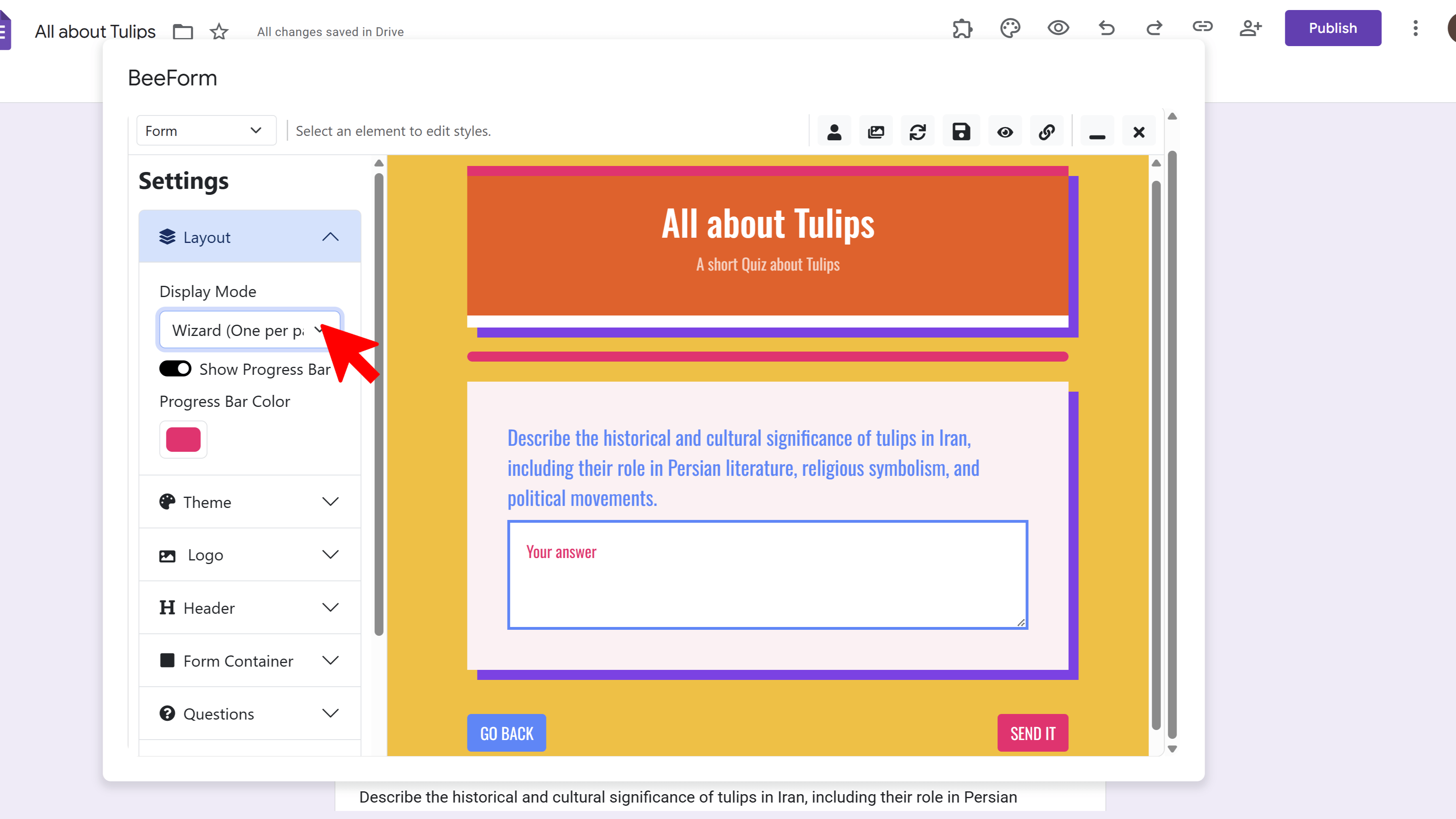
Wizard mode breaks long forms into focused, easy steps. - Response Limits: Automatically close the form after a set number of responses (e.g., for event registration caps).
- Form Scheduling: Set automatic opening and closing dates/times.
- Email Notifications: Receive detailed HTML email alerts for new submissions with configurable frequency (e.g., every 10 responses) and direct links to uploaded files.
- Custom Closed & Thank You Pages: Design branded messages that display when a form is closed or after submission.
- Team Themes: Share design templates across your organization (Team Plan).
- Data Ownership: All responses stay in Google Sheets — no external database.
Formfacade Highlights
- Embed in Website: One-line embed code for WordPress, Squarespace, Bootstrap, and other CMS platforms, with automatic color scheme matching.
- File Upload Without Google Login (Petaform): Lets respondents upload files up to 1GB+ with no Google account required — via drag-and-drop, paste, camera, or Drive.
- QR Code Generation: Generate QR codes for physical or digital form distribution.
- Google Analytics Integration: Track form views, submissions, and drop-off points through Google Analytics.
- Session Recording: Analyze where users drop off in the form to improve completion rates.
- Assign Points / Scoring (Scorecery): Set different point values per answer option and automatically calculate total scores — ideal for quizzes and assessments.
- Prefill & Email: Generate unique prefill URLs per user and send personalized emails with pre-populated form links.
- Response Kanban Board: Manage and collaborate on form responses in a kanban-style view.
- Microsite / Custom URL: Host forms at a custom URL, eliminating the
docs.google.comlink. - Multi-language Support: 15+ languages including Arabic, Chinese (Simplified), French, Hindi, Spanish, Portuguese, and more.
- Zapier Integration: Connect form responses to hundreds of third-party apps.
Side-by-Side Comparison Table
| Feature | BeeForm | Formfacade |
|---|---|---|
| How It Works | In-place Google Forms enhancement | Creates hosted copy on Formfacade servers |
| Data Storage | Google Sheets (stays with Google) | Responses sync to Google Sheets; form served by Formfacade |
| Branding Removal | ✅ Available on paid plans | ❌ Formfacade branding cannot be removed on any plan |
| Custom Themes / Templates | ✅ Preset + custom + team-shared themes | ✅ Layout themes available |
| Wizard / Multi-step Mode | ✅ Yes | ✅ Yes |
| Custom CSS | ✅ Available | ✅ Available |
| Formula / Calculated Fields | ❌ Not available | ✅ Yes |
| Answer Piping | ❌ Not available | ✅ Yes (in thank you page) |
| Response Limits (Auto-close) | ✅ Yes | ✅ Yes |
| Form Scheduling | ✅ Yes | ✅ Yes |
| Email Notifications | ✅ Yes (rich HTML, configurable frequency) | ✅ Yes |
| File Upload (No Google Login) | ❌ Uses Google Forms native upload | ✅ Yes (Petaform, separate paid product) |
| Embed in Website | ✅ Standard embed | ✅ One-line embed with auto color matching |
| QR Code Generation | ❌ Not available | ✅ Yes |
| Google Analytics Integration | ❌ Not available | ✅ Yes |
| Session Recording | ❌ Not available | ✅ Yes |
| Points / Scoring | ❌ Not available | ✅ Yes (Scorecery) |
| Prefill Links | ❌ Not available | ✅ Yes |
| Kanban Response Board | ❌ Not available | ✅ Yes |
| Multi-language UI | ❌ Not available | ✅ 15+ languages |
| Zapier Integration | Via Google Forms / Zapier | ✅ Native |
| Team Theme Sharing | ✅ Yes (Team Plan) | ❌ Not available |
| SOC 2 Type II Certified | Google infrastructure | ✅ Yes |
| Lifetime Plan Available | ✅ Yes ($249 one-time) | ❌ No |
Pricing Comparison
Pricing is one of the most important differences between the two tools — and there are some significant surprises worth knowing about before you commit.
BeeForm Pricing
| Plan | Price | Responses | Notable Inclusions |
|---|---|---|---|
| Pro | $9/seat/month | 10,000/month | Custom logo & header, premium themes & fonts, custom templates, advanced design controls, response limiter, email alerts |
| Lifetime | $249 one-time | 10,000/month | All Pro features, lifetime updates, priority support, no recurring fees |
| Team | $11/seat/month (min 2 seats) | Unlimited | All Pro features + team management, shared themes & templates, priority support via email and phone |
| Enterprise | Custom pricing | Unlimited | All Team features + custom integrations, dedicated account manager, custom training, 24/7 support |
Formfacade Pricing
Formfacade uses a product-by-product pricing model. The core design and embed tools are priced separately from file uploads, which can add up quickly.
| Plan | Price (Annual / Monthly) | Responses/Month | Forms |
|---|---|---|---|
| Free | $0 | Limited | 1 |
| Basic | $8/mo (annual) / $16/mo (monthly) | 50 | 3 |
| Premium | $18/mo (annual) / $36/mo (monthly) | 100 | 5 |
| Business | $38/mo (annual) / $76/mo (monthly) | 300 | 15 |
File Upload (Petaform) is a separate product with its own pricing:
| Plan | Price | Storage | Max File Size |
|---|---|---|---|
| Starter | $28/month | 10 GB | 100 MB |
| Growth | $38/month | 100 GB | 100 MB |
| Pro | $98/month | 1 TB | 1 GB |
Note: Formfacade offers a 7-day free trial on paid features (with 20 free responses and a 10 MB file size limit during trial).
Response Limits
This is one of the starkest differences between the two tools — and a deciding factor for any form with meaningful traffic.
BeeForm
BeeForm's Pro and Lifetime plans include 10,000 responses per month. The Team and Enterprise plans include unlimited responses. For the vast majority of use cases — lead gen, event registration, surveys, applications — BeeForm's limits are practically not a concern.
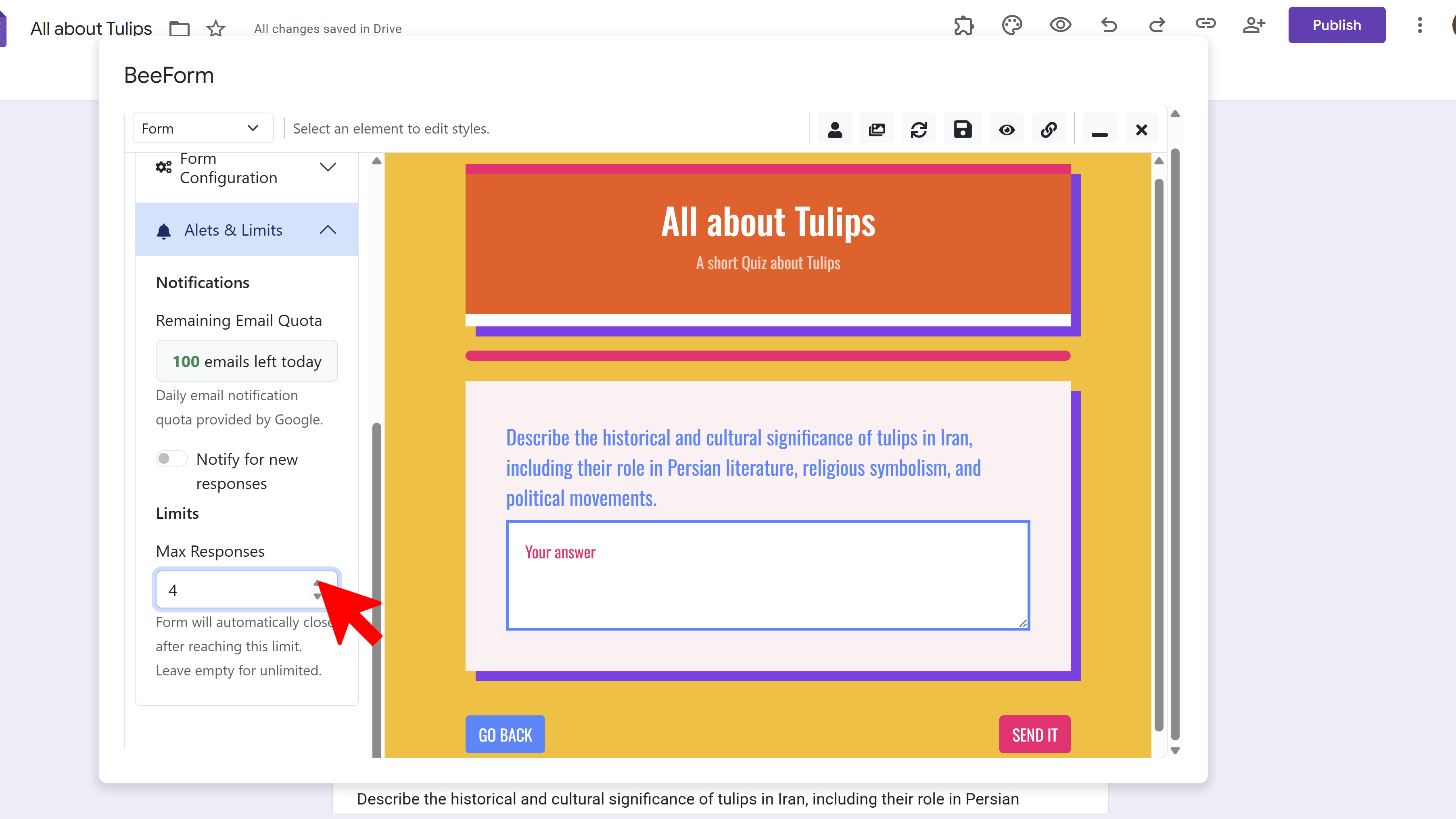
BeeForm lets you set a response cap and auto-close the form when it's reached.
Formfacade
Formfacade's response limits are substantially more restrictive. The Basic plan caps at just 50 responses per month. The Premium plan allows 100, and Business allows 300. For any form that receives moderate traffic, these limits will be hit quickly and force an upgrade. Multiple reviewers have flagged this as a frustrating limitation.
"The 'free' plan isn't free. You are locked out of your account — even if your number of forms and responses are within parameters — until you upgrade." — G2 reviewer
Branding & White-Labeling
If presenting a fully branded experience without third-party tool attribution matters to your business, this section is critical.
BeeForm
On BeeForm's paid plans, you can upload your own logo, use custom header images, set brand colors, and apply custom fonts. The resulting form presents your brand — not BeeForm's.
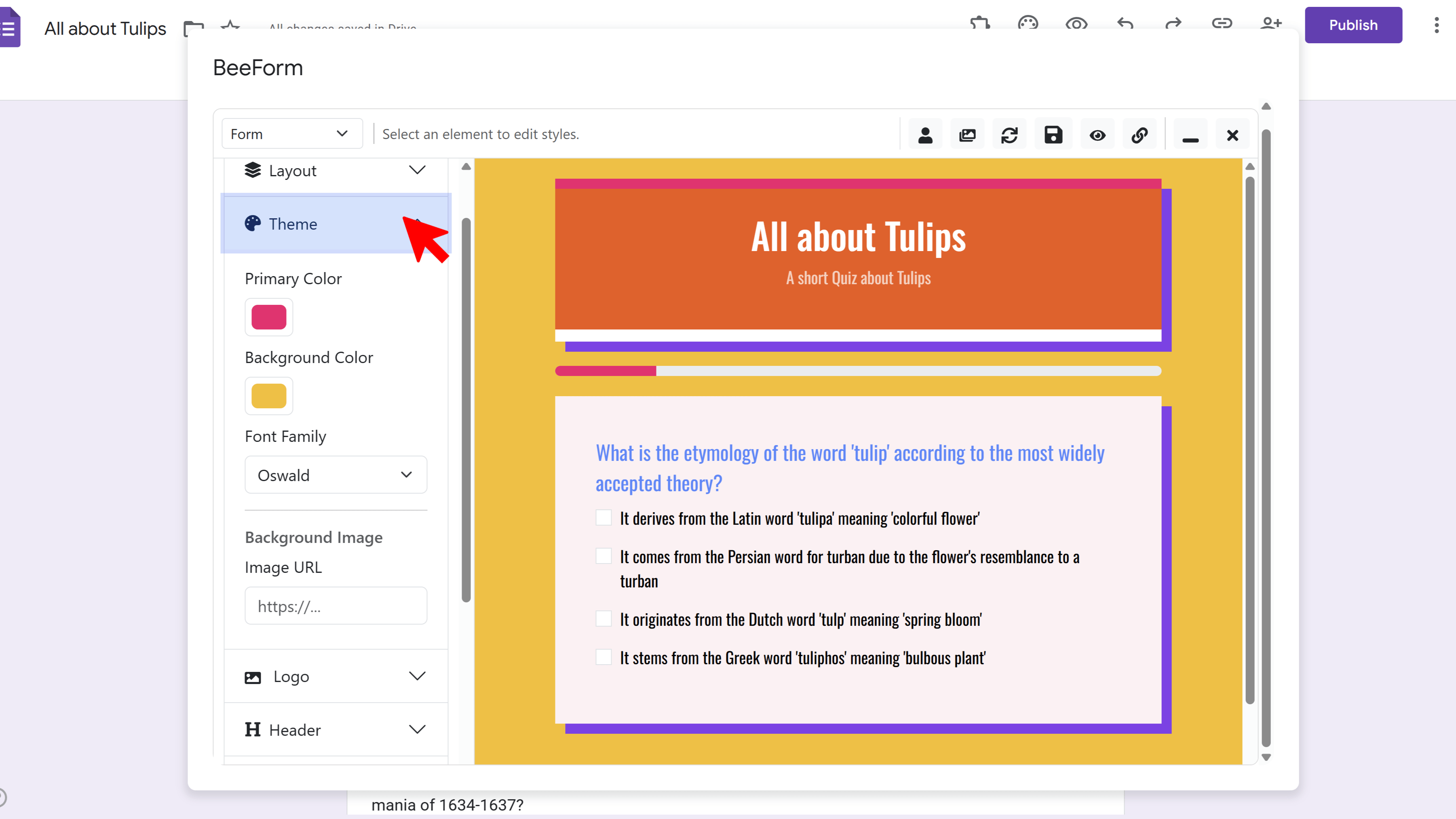
BeeForm's branding controls — upload your logo, set brand colors and fonts.
Formfacade
Formfacade branding cannot be removed on any standard plan, including the Business tier at $38/month. This is a notable limitation for businesses that need a fully clean, branded form experience. For customer-facing forms where perception matters, having a third-party tool's name on your form may be undesirable.
Pros & Cons
BeeForm Pros
- True Google Forms integration: Works in-place — no third-party platform dependency.
- Data stays with Google: Full data ownership; cancel anytime without losing your forms or data.
- Generous response limits: 10,000/month on Pro and Lifetime; unlimited on Team and Enterprise.
- Clean, intuitive interface: Minimal learning curve; most users are up and running in minutes.
- Branding-free on paid plans: Your forms present your brand, not BeeForm's.
- Lifetime plan available: One-time $249 payment eliminates recurring subscription costs.
- Team theme sharing: Consistent branding across every team member's forms.
BeeForm Cons
- Newer product: BeeForm is still growing its feature set and may have fewer niche capabilities than more established tools.
- No formula/calculated fields: Users who need dynamic calculations within their forms will need to look elsewhere.
- No built-in QR code generator: Formfacade includes this; BeeForm does not.
- No multi-language UI: BeeForm does not offer built-in multi-language form support.
- No file upload without Google login: Formfacade's Petaform allows anonymous file uploads; BeeForm relies on Google's native upload.
Formfacade Pros
- Broad ecosystem: Beyond design, Formfacade covers file uploads, scoring, e-signatures, WhatsApp orders, payments, and AI tools across their suite of products.
- Calculated / formula fields: Dynamically calculate values based on user inputs — useful for quizzes, pricing estimators, and assessments.
- File upload without Google login: Respondents can upload files without having a Google account.
- Google Analytics integration: Track form engagement data directly in GA.
- Session recording: Understand where users drop off.
- Multi-language support: 15+ languages available.
- QR code generation: Built-in QR codes for physical/digital distribution.
- SOC 2 Type II Certified: Independent security compliance certification.
- Strong support reputation: Customer support (particularly from "Vipin") is frequently praised in reviews.
Formfacade Cons
- Branding cannot be removed: Formfacade branding appears on your forms at every pricing tier, including Business at $38/month.
- Very low response limits: 50 responses/month on Basic, 100 on Premium, 300 on Business — restrictive for anything beyond a small internal form.
- Hosted copy architecture: Your form depends on Formfacade's platform uptime and is not served directly by Google.
- Fragmented pricing: File uploads, scoring, e-signatures, and other features are all separately priced products, making total costs difficult to predict.
- Weak G2 reputation: Rated 1.8/5 on G2 (though based on only 2 reviews, so the sample is small).
- No lifetime plan: All plans are monthly or annual subscriptions with no one-time purchase option.
- Free plan lock-out: Some users report being locked out of their account on the free plan even when within the stated limits.
The Verdict
Both tools solve the same core problem — plain Google Forms aren't good enough for customer-facing use — but they are built for different types of users.
Choose Formfacade if: You have specific advanced needs that BeeForm doesn't yet cover — calculated fields, file uploads without Google login, Google Analytics integration, multi-language forms, or built-in QR codes. You're also willing to accept low monthly response caps and Formfacade branding on your forms, and you're comfortable with your form being served from a third-party platform rather than Google.
Choose BeeForm if: You want a clean, modern, branded form experience that keeps your data fully within Google's ecosystem. If having 10,000 responses per month (or unlimited on Team), no third-party branding on your forms, and a straightforward design experience are priorities, BeeForm is the stronger choice. The Lifetime plan at $249 also makes it significantly more cost-effective over time compared to Formfacade's subscription tiers.
"BeeForm transforms your Google Forms into professional, branded experiences — without moving your data off Google or locking you into a third-party platform."