Generate Quiz Questions from File
Upload lecture notes, study guides, or documents to automatically generate quiz questions with Examize. Supports Google Docs, PDFs, Word files, PowerPoint, and more for AI-powered question creation.
Open Examize Sidebar
In your Google Form, navigate to Extensions → Examize to launch the add-on sidebar.
Click Generate
On the Examize home screen, click Generate to access the question generation options.
Select From File
Choose From File as your generation method. This option
allows you to upload lecture notes, study guides, or any document, and Examize
will analyze the content to create relevant questions. Supports Google Docs,
PDFs, Word files, PowerPoint presentations, and more.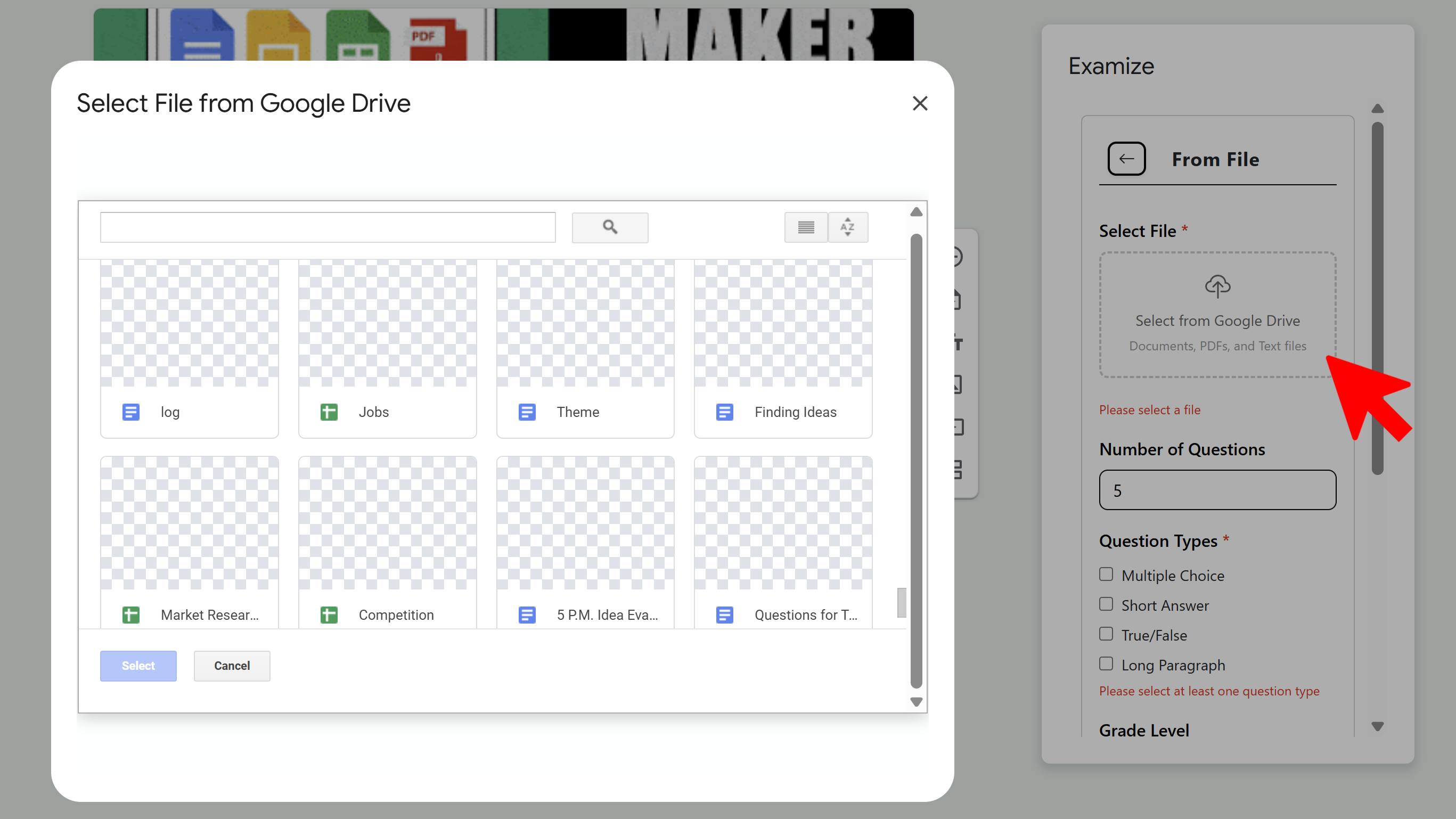
Choose Your File
Select a file from your Google Drive or upload one from your computer. Examize supports Google Docs, Sheets, Slides, Microsoft Word/Excel/PowerPoint, PDFs, TXT, RTF, CSV, OpenDocument formats, and more. Nearly any text-based document can be used as source material.
Configure and Generate
Configure your question settings: choose the number of questions, grade level, question types, language, and quiz settings. Then click Generate Questions. The AI will extract key concepts from your file and generate relevant questions with answers and feedback.
Tips and Best Practices
- Use well-structured documents with clear headings and organized content for best results.
- Lecture notes, study guides, and textbook chapters work particularly well as source material.
- The AI extracts key concepts automatically, so you don't need to pre-format your content.
Common Pitfalls to Avoid
- Avoid using files with primarily images or diagrams - text-based content generates better questions.
- Very short files (a few sentences) won't provide enough content for multiple questions.
- Scanned PDFs without OCR may not be readable - use text-based PDFs when possible.
External Resources
Examize: AI Quiz Maker
Create AI quiz questions for Google Forms in minutes. Generate, translate, and enhance quizzes with support for 70+ languages.
- AI-powered question generation
- Support for 70+ languages
- Multiple question types
- Generate from text, files, or URLs
- Auto-grading with feedback
- Built right into Google Forms