Import & Export Questions with Examize
Move quiz questions between Google Forms or export to Docs and Sheets using Examize. Build question banks, create printable versions, and organize content. Available in Pro Plus, Team, and Enterprise plans.
- Open Examize Sidebar
- Import Questions from Other Forms
- Export to Google Docs
- Export to Google Sheets
Open Examize Sidebar
In your Google Form, navigate to Extensions → Examize to launch the add-on sidebar. Import and Export features are available in Pro Plus, Team, and Enterprise plans.
Import Questions from Other Forms
Click Import on the home screen to bring questions from other
Google Forms into your current form. This is perfect for building a question
bank or reusing existing content.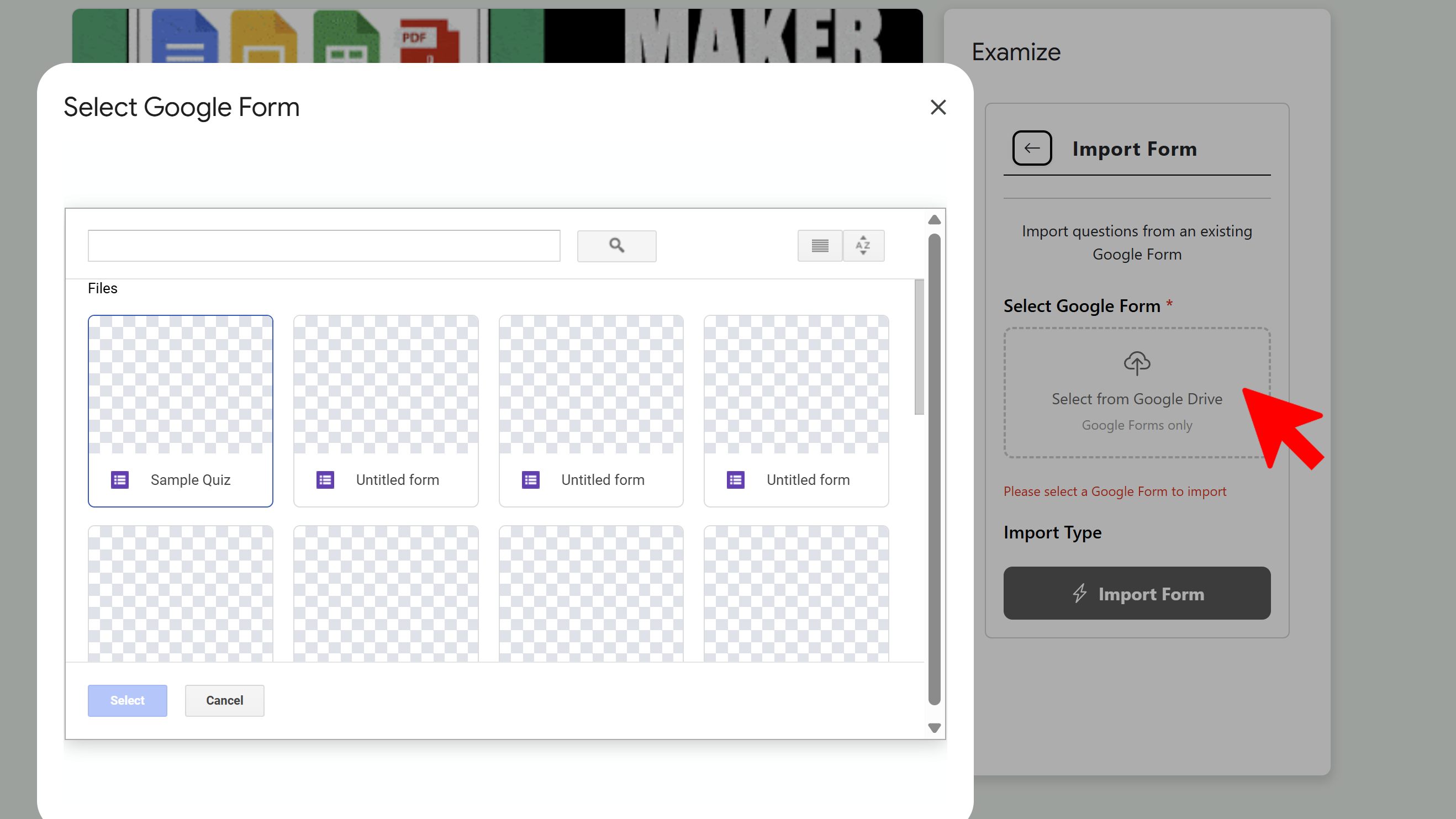
Select a Google Form from your Drive, then choose your import
type: Questions Only (just the question text),
Questions + Answers (including answer choices and correct
answers), or Full Structure (everything including sections
and logic). Select specific questions you want to import, and they'll be added
to your current form.
Export to Google Docs
Click Export and choose Google Docs as your
format. This creates a professional document version of your quiz perfect for
printing, sharing with colleagues, or archiving. Select export options like
whether to include the answer key, and the file will be created in your Google
Drive.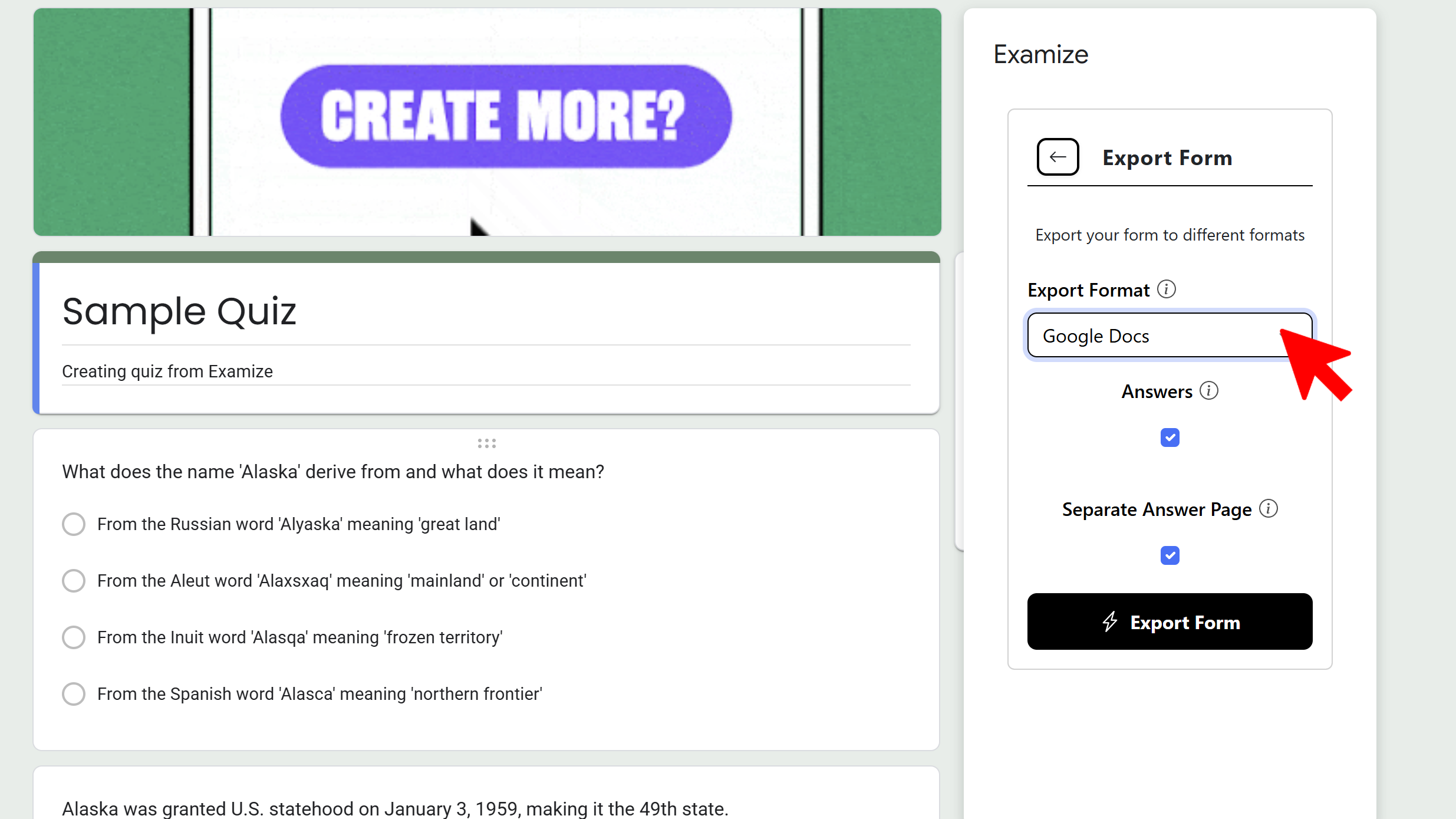
Export to Google Sheets
Choose Google Sheets as your export format to create a spreadsheet version of your quiz. This is useful for analysis, creating study guides, or organizing question banks in a tabular format. Configure whether to include answer keys and feedback, then the spreadsheet will be generated in your Drive.
Tips and Best Practices
- Use Import to build comprehensive question banks by combining questions from multiple forms.
- Export to Docs for printable versions that students can complete on paper.
- Export to Sheets for organizing questions by topic, difficulty, or standards alignment.
Common Pitfalls to Avoid
- When importing, verify that question types are compatible with your current form structure.
- Exported documents may need minor formatting adjustments for perfect printing.
- Remember these are Pro Plus+ features - upgrade if you need Import/Export capabilities.
External Resources
Examize: AI Quiz Maker
Create AI quiz questions for Google Forms in minutes. Generate, translate, and enhance quizzes with support for 70+ languages.
- AI-powered question generation
- Support for 70+ languages
- Multiple question types
- Generate from text, files, or URLs
- Auto-grading with feedback
- Built right into Google Forms