Install Examize
Step-by-step guide to installing Examize, the AI-powered quiz generator for Google Forms. Learn how to quickly install and launch Examize to start creating quiz questions with AI.
- Open Google Workspace Marketplace
- Search for Examize
- Install the Add-on
- Open Your Google Form
- Launch Examize
Open Google Workspace Marketplace
Navigate to the Google Workspace Marketplace. You can access this directly through your browser or from within Google Forms by clicking the puzzle piece icon in the top toolbar and selecting "Get add-ons".
Search for Examize
In the Google Workspace Marketplace search bar, type "Examize" or "Examize AI Quiz Maker" and press Enter. The Examize add-on should appear in the search results with its logo and description showing AI-powered quiz generation features.
Install the Add-on
Click on the Examize add-on from the search results. Review the features and permissions, then click the blue Install button. You'll be asked to grant permissions for Examize to access your Google Forms and use AI services. Click Allow or Continue to complete the installation.
Open Your Google Form
Once installation is complete, open any Google Form where you want to create quiz questions. You can use an existing form or create a new one. Examize works with all Google Forms features and question types.
Launch Examize
In your Google Form, click on Extensions in the top menu,
then select Examize. This launches the add-on in a sidebar,
giving you access to all Examize features: Generate, Translate, Remix, Import,
and Export.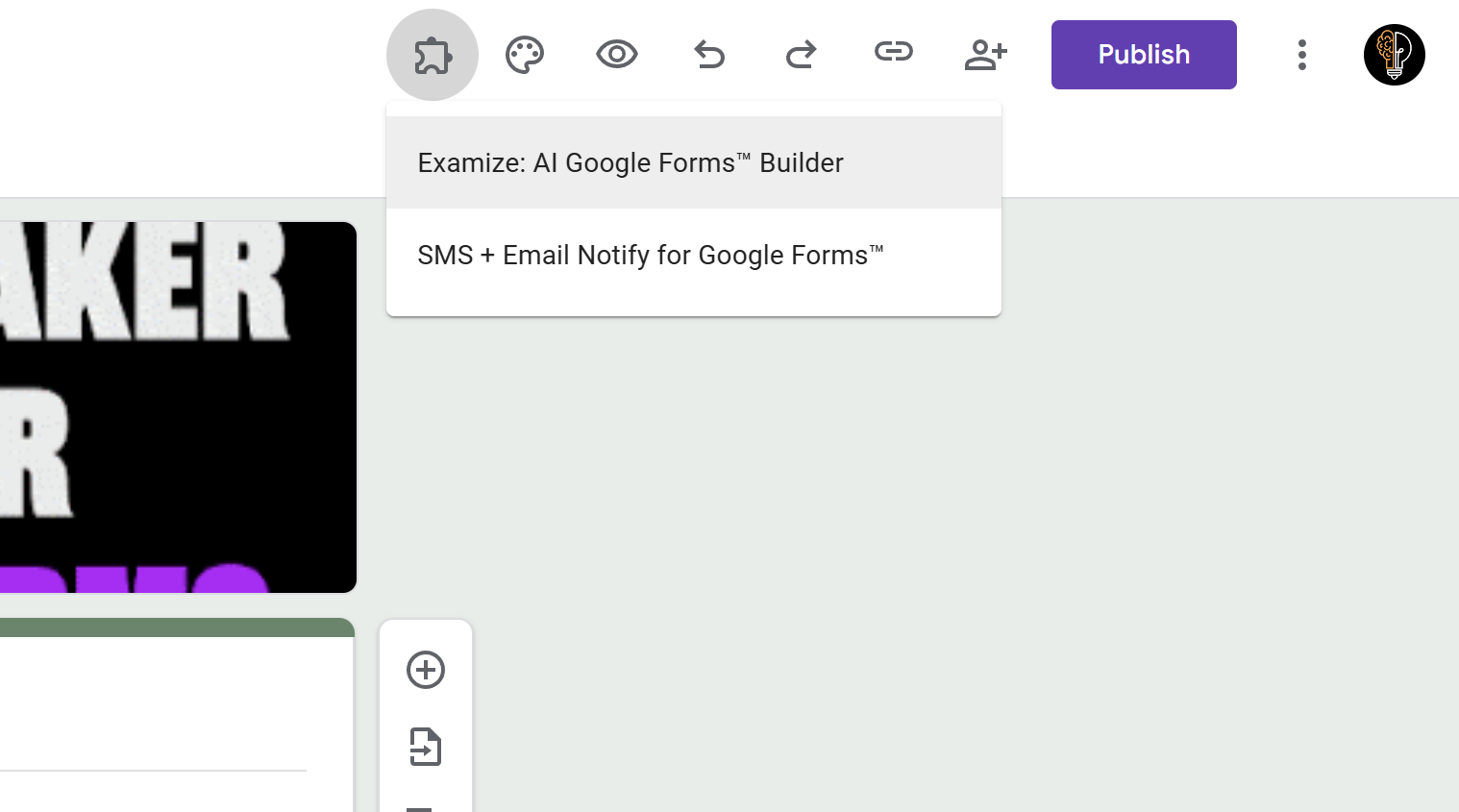
Tips and Best Practices
- You only need to install Examize once - it will be available for all your Google Forms after installation.
- The add-on stays in your Extensions menu, so you don't need to reinstall it for each form.
- Make sure you're signed in with the correct Google account before installing if you manage multiple accounts.
Common Pitfalls to Avoid
- Don't skip the permissions step - Examize needs these permissions to generate questions and access AI services.
- If you don't see Examize in the Extensions menu after installation, try refreshing your browser or reopening the Google Form.
External Resources
Examize: AI Quiz Maker
Create AI quiz questions for Google Forms in minutes. Generate, translate, and enhance quizzes with support for 70+ languages.
- AI-powered question generation
- Support for 70+ languages
- Multiple question types
- Generate from text, files, or URLs
- Auto-grading with feedback
- Built right into Google Forms