Enable Email Alerts
Stay informed with real-time email notifications from Termi. Learn how to set up alerts for response limits, choice quotas, and scheduled events so your entire team knows when important form events occur.
Open Termi Sidebar
In your Google Form, navigate to Extensions → Termi to launch the add-on sidebar.
Click Email Alerts
On the Termi home screen, click Email Alerts. This opens the
email notification configuration panel where you can set up alerts for
important form events.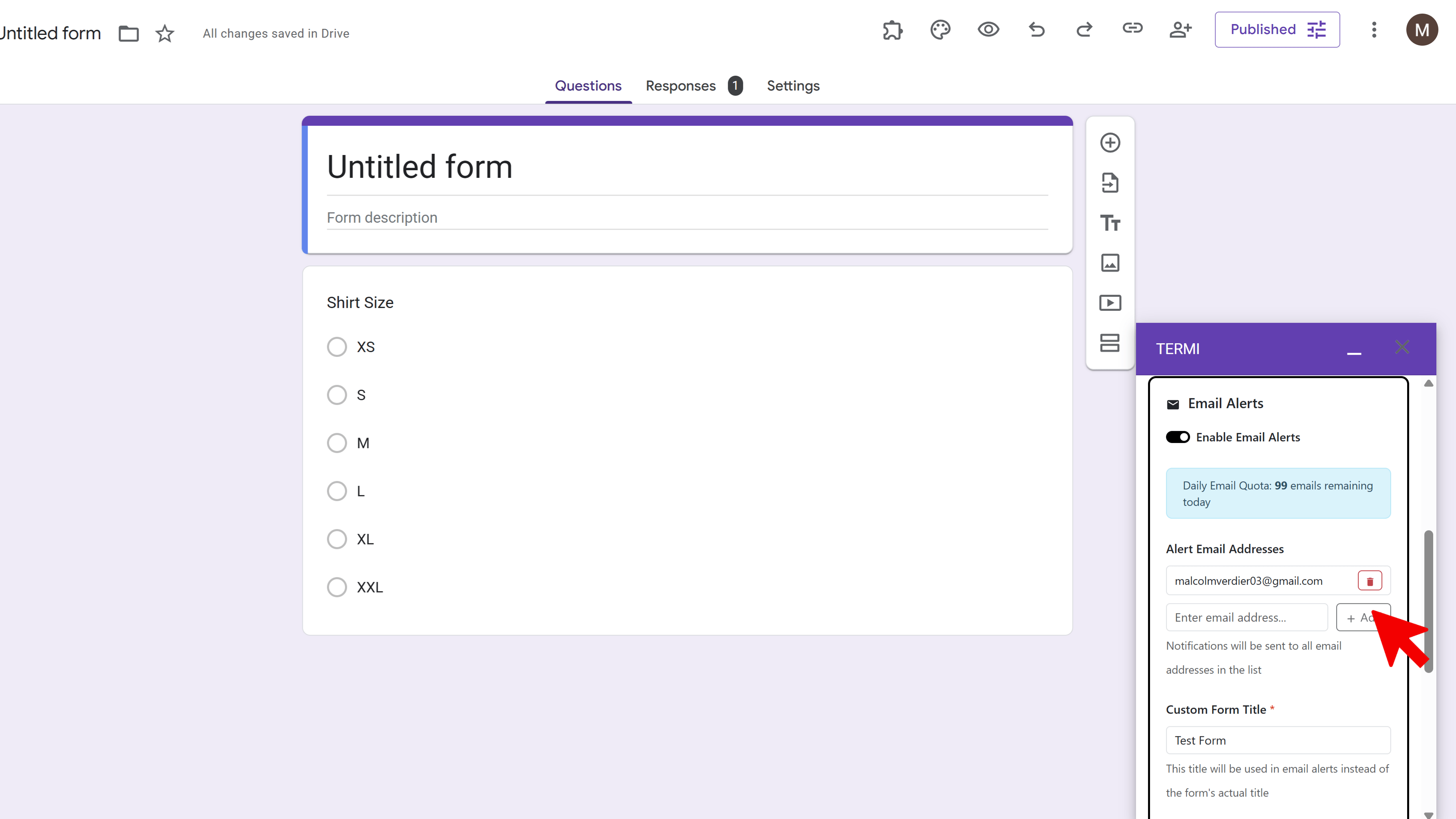
Enable Alert Types
Toggle on the alerts you want to receive. Available alert types include: Response Limit Reached (notification when form closes due to response count), Choice Limits Reached (single combined email when choice quotas are filled), Scheduled Opening (alert when form opens on schedule), and Scheduled Closing (notification when form closes on schedule). You can enable multiple alert types simultaneously.
Add Email Recipients
Enter the email addresses that should receive notifications. You can add multiple recipients by entering email addresses separated by commas. This allows your entire team to stay informed about form events. Review the email preview to see what notifications will look like.
Save Alert Settings
Once you've selected your alert types and added recipients, click
Save. All alert emails are professionally formatted and
include form title, event details, quick edit links, timestamps, and current
form status. When multiple choice limits are reached simultaneously, Termi
sends a single consolidated email listing all filled choices.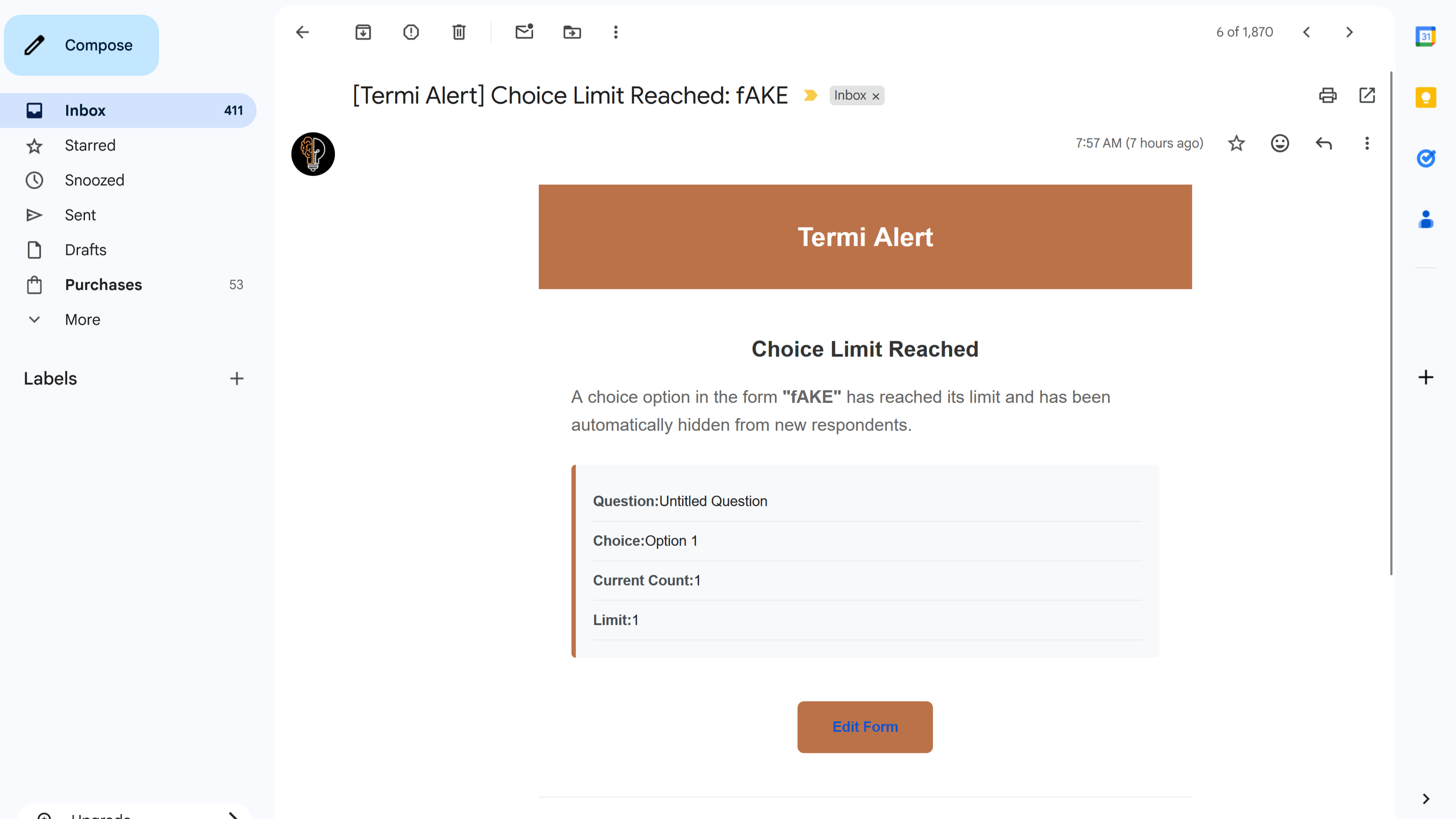
Tips and Best Practices
- Add email addresses for your entire team to ensure someone always knows when important events occur.
- Enable all relevant alerts to stay fully informed about your form's status and events.
- Use email alerts to verify that Termi is working correctly - you'll receive immediate confirmation when events occur.
Common Pitfalls to Avoid
- Don't forget to add at least one email recipient - alerts won't be sent without email addresses configured.
- Check your spam folder if you don't receive notifications - add the notification email address to your contacts.
- Remember that choice limit alerts are consolidated into a single email when multiple choices fill simultaneously.
External Resources
Termi: Form Limiter & Choice Eliminator
Automate form management with response limits, choice quotas, scheduling, and real-time alerts.
- Automatic response limits
- Choice-based quotas
- Time-based scheduling
- Real-time email alerts
- Choice elimination
- Fully automated monitoring