How to Make Google Forms Look Better
Learn how to enhance your Google Forms by customizing themes, colors, fonts and adding questions. Create engaging and professional forms with ease.
10 min read
Updated 11/28/2025
Video Guide
- Start a New Form
- Choose a Template or Start from Scratch
- Customize your Form
- Change the Color Theme
- Customize Form Settings
- Use BeeForm for Further Customization
Start a New Form
Open Google Forms (forms.google.com) and click on the '+' button to start a new form.
Choose a Template or Start from Scratch
Google Forms provides various templates you can use. If none suits your needs, you can start creating your form from scratch.
Customize your Form
After selecting a template or starting a new form, you can now begin to customize it. You can add different types of questions, including multiple choice, short answer, paragraph, checkboxes, dropdown, linear scale, multiple choice grid, and date/time.
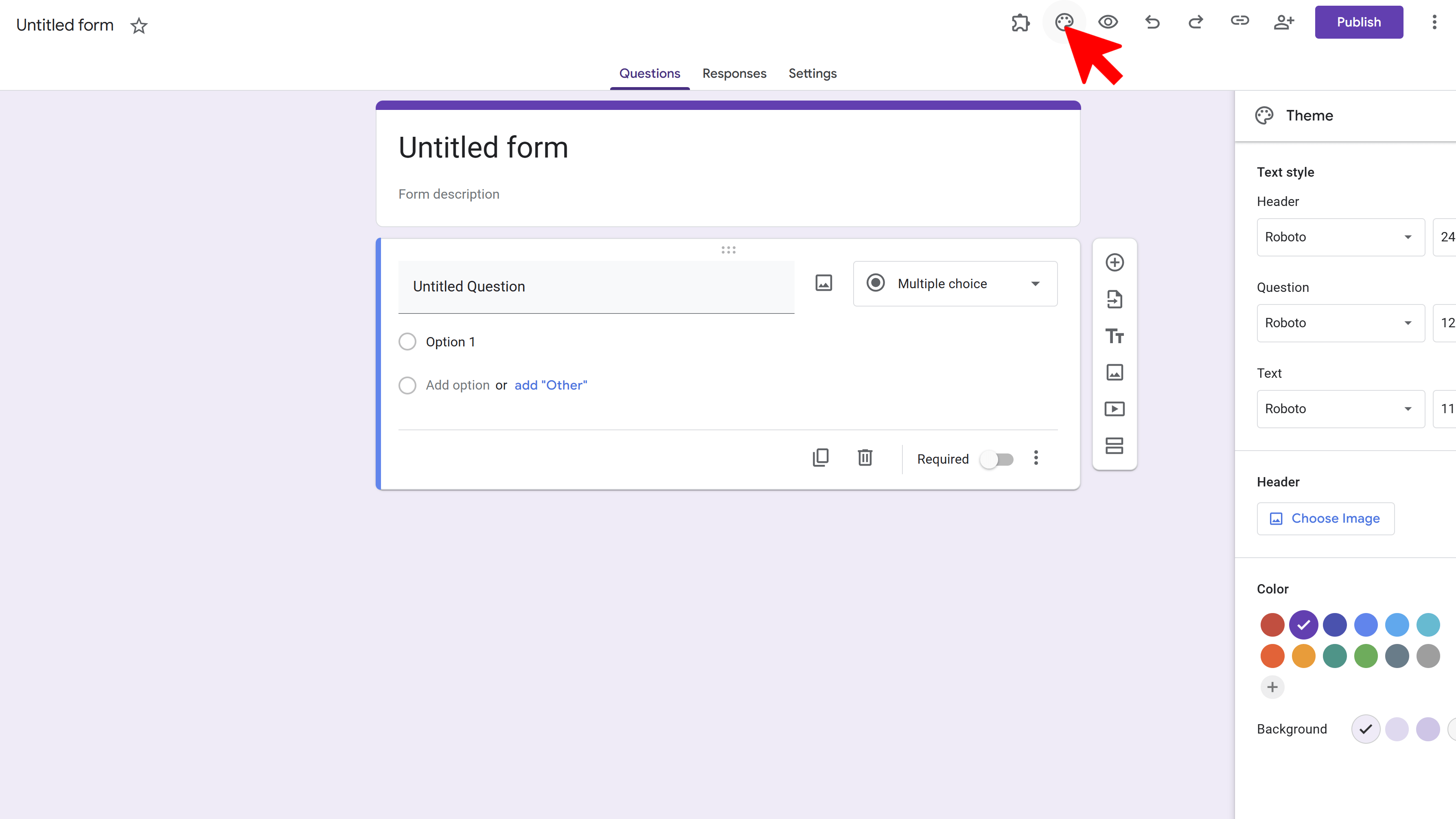
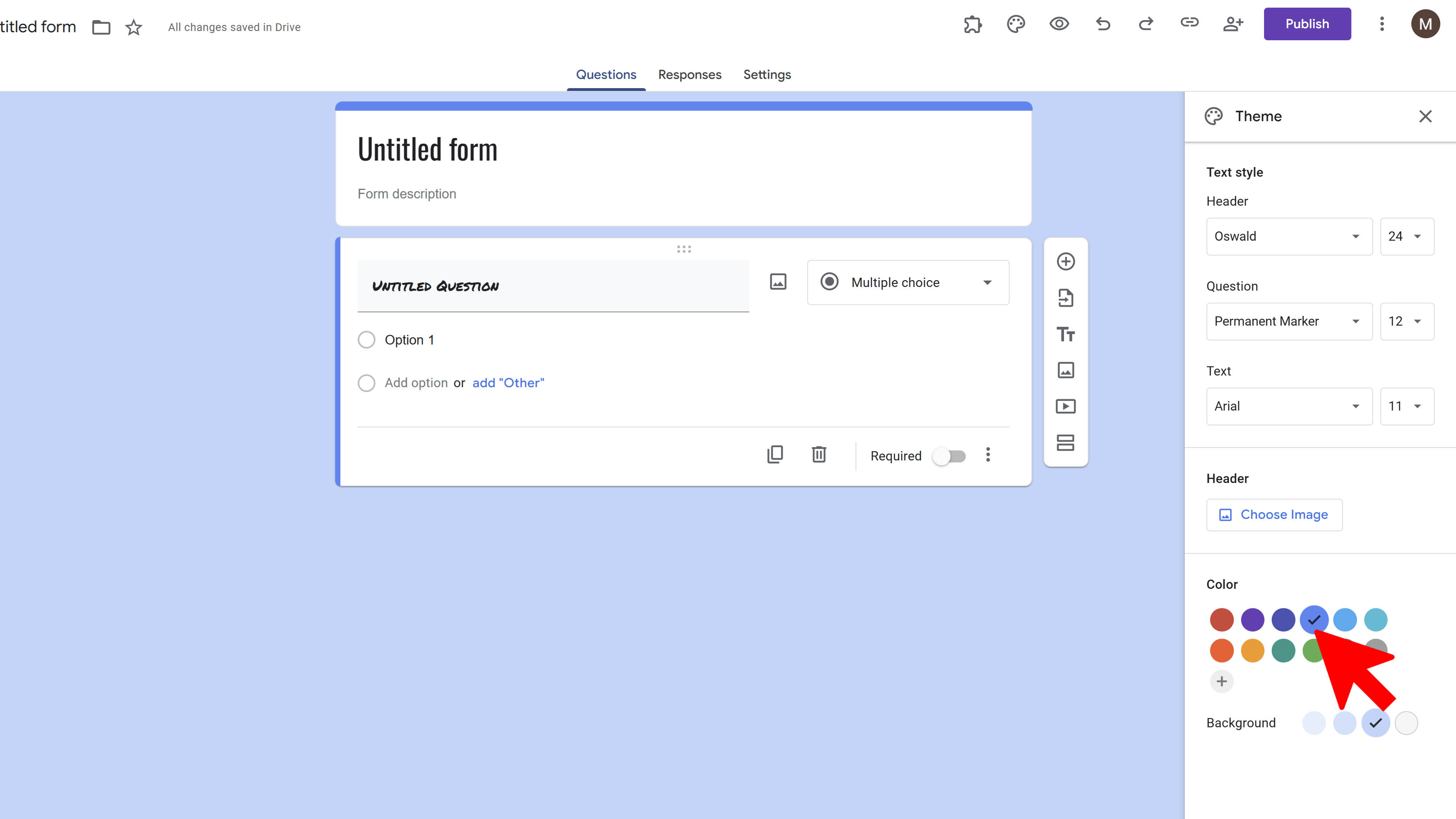
Change the Color Theme
Click on the palette icon at the top of the page. Here, you can change the color of your form and also add a custom image as the header.
Customize Form Settings
Click on the gear icon at the top of the page to access form settings. Here, you can choose to collect email addresses, limit one response per person, and more.
Use BeeForm for Further Customization
To make your Google Forms look even better, you can use BeeForm. Go to BeeForm and follow the instructions to transform your Google Forms into beautiful, branded, and highly customizable web forms.

Try Free
BeeForm: Pretty Forms Designer
Transform Google Forms into beautiful, branded, and highly customizable web forms. Apply advanced styling, manage responses, and collaborate.
- Custom Branding & Layouts
- Advanced Design Controls
- Response Limits & Email Notifications
- Preset & Custom Themes
- Team Collaboration
- Built right into Google Forms